Guide: Working with Stipulations
Last updated: September 22, 2026
Background
This guide will cover how Glide handles stipulations and the recommended approach depending on your LOS support.
LOS' That Support Stipulations
LOS' that support stipulations will automatically send stipulation requests to Glide and allow Glide to upload collected documents. See here to check if your LOS has support.
The General flow
User submits a loan application via Glide to the LOS.
The LOS will generate stipulations and notify Glide.
Glide creates Applicant Tasks for the user to complete.
Email campaigns can be configured to notify the user of open applicant tasks
The user uploads documents in the Glide portal.
Glide uploads the collected documents to your LOS, attached to the loan application.
How to configure Applicant Tasks for LOS' that support Stipulations
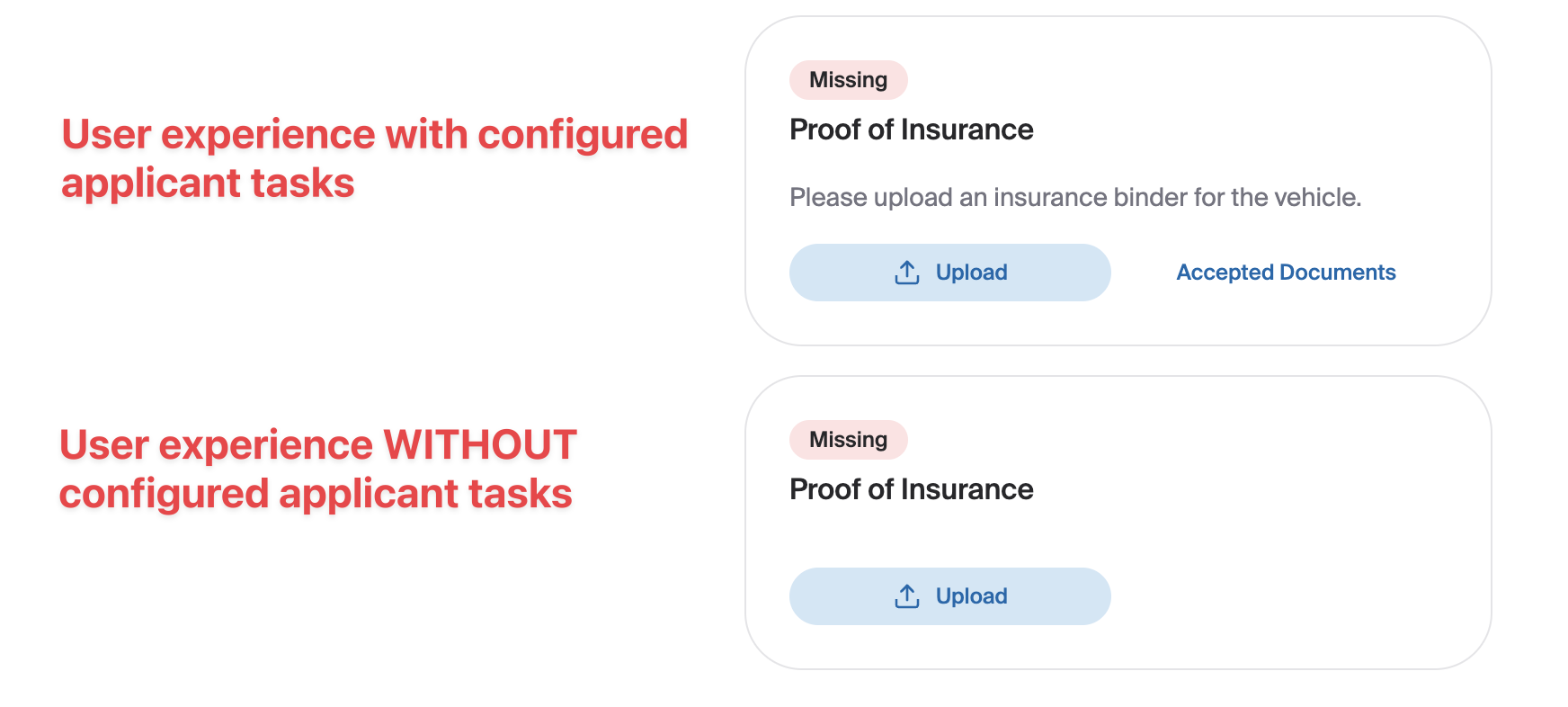
There are no required configuration steps for LOS' that support stipulations. However, we highly recommend that applicant task templates be created in Glide and mapped to the stipulation names/IDs in your LOS (see here for more information).
Mapping the stipulations in Glide will allow you to add additional help text for the user which will give them additional guidance, reduce confusion and increase the chances of a successfully completed stipulation.
LOS' That Do Not Support Stipulations
Some of the LOS' that Glide integrates with do not support stipulations. These LOS' do not generate and send stipulation requests to Glide.
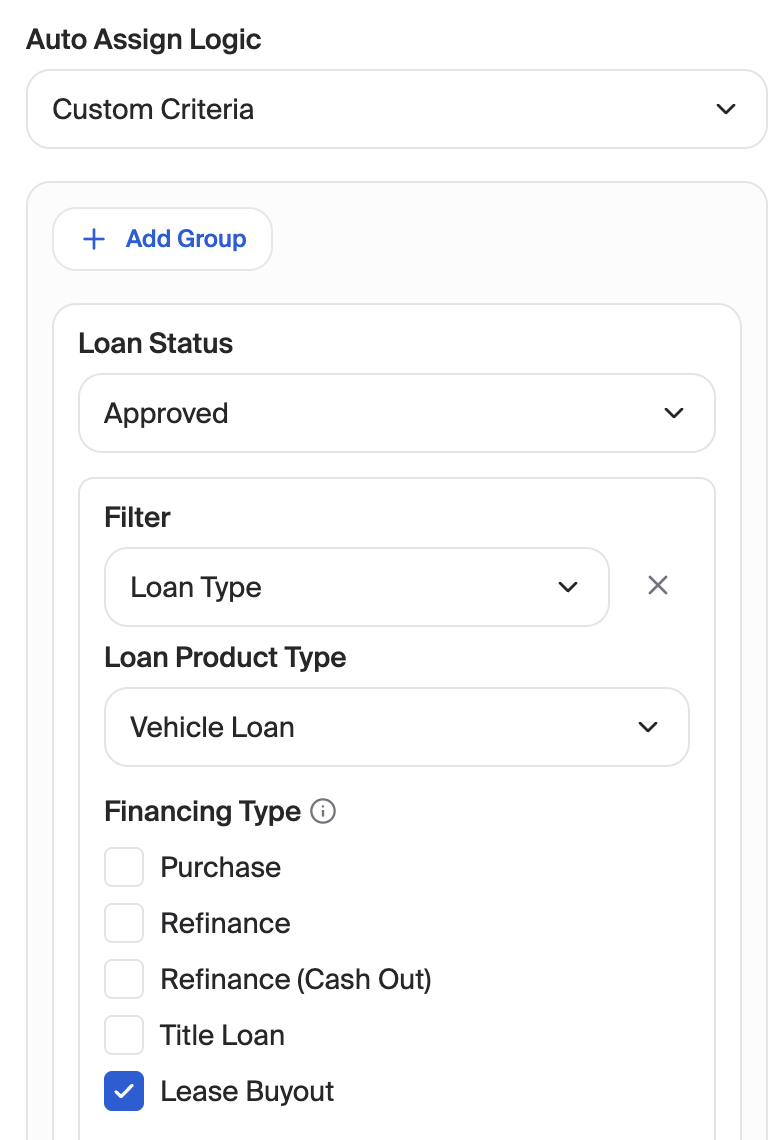
We recommend using our Conditional Applicant Task feature to bridge this gap. With this feature, you can specify rules for which stipulations are triggered and when.
The General flow
User submits a loan application via Glide to the LOS.
Based on your logic configurations, Glide creates Applicant Tasks for the user to complete.
Email campaigns can be configured to notify the user of open applicant tasks
The user uploads documents in the Glide portal.
If desired, Glide can upload collected documents to your SFTP server.