Guide: Collecting Multiple Forms of Collateral
Last updated: August 5, 2026
Overview
Often, a loan will require multiple forms of collateral such as a boat + trailer + motor. This guide walks you through how you can collected the information required for each collateral from the user.
Why Glide only Collects 1 Form of Collateral
The Glide Loan Application flow intentionally only requests for 1 form of collateral for vehicle loans. We found that each additional page and each additional data entry will reduce the chances of a user submitting their loan application, especially earlier on in the process.
When the user is more invested in the loan application, they are more likely to submit. Given that, collection of additional collateral information post-submission will allow for a high submission rate while still being able to get the information you need from the user, overall culminating into larger loan booking volumes.
How to Collect Additional Collateral
Collection of additional collateral can be supported by our Applicant Tasks feature. The process is as follows:
Create a form applicant task template with questions for all of the information you require.
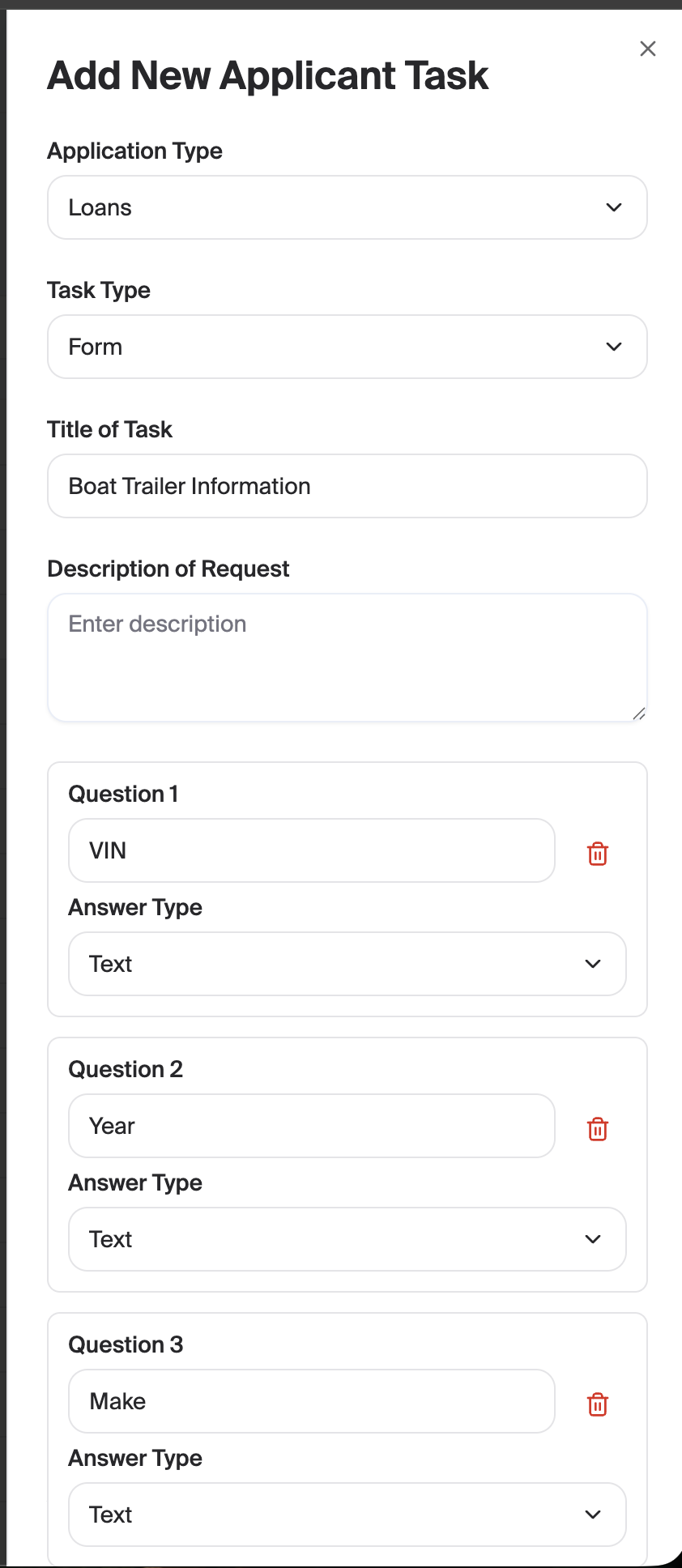
Add the applicant task to the loan application. This can be done in one of 2 ways:
(Highly recommended) Use our conditional applicant task feature to automatically add the task for certain loans. Example: If Loan Type is "Boat" and the application status is "Approved", then add the "Boat Trailer Information" applicant task.
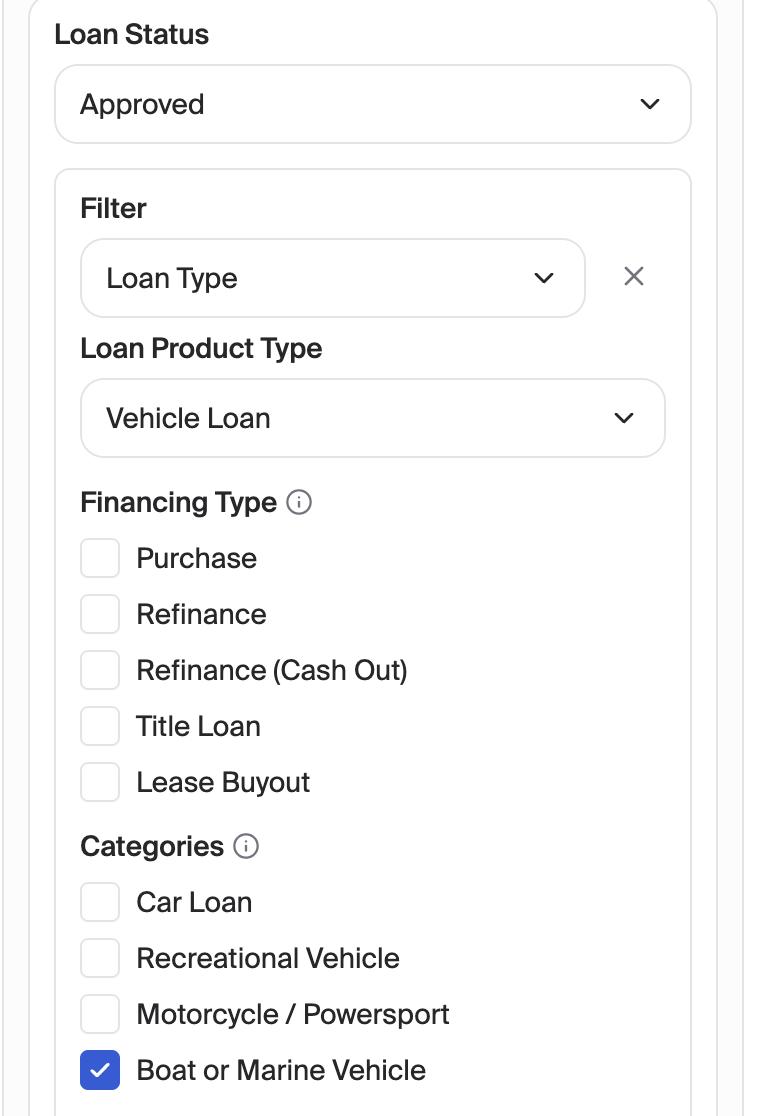
Manually add the applicant task to applications that require it.
Review the user's responses in the Applicant Tasks tab of the application.
Conditional Collateral Information Requests
In some cases, the collection of additional collateral information will be conditionally required. For example: If the boat has an outboard motor, then collect information about the motor. To achieve this:
Create a form applicant task template with the qualifying question (e.g. "Does your boat have an outboard motor?")
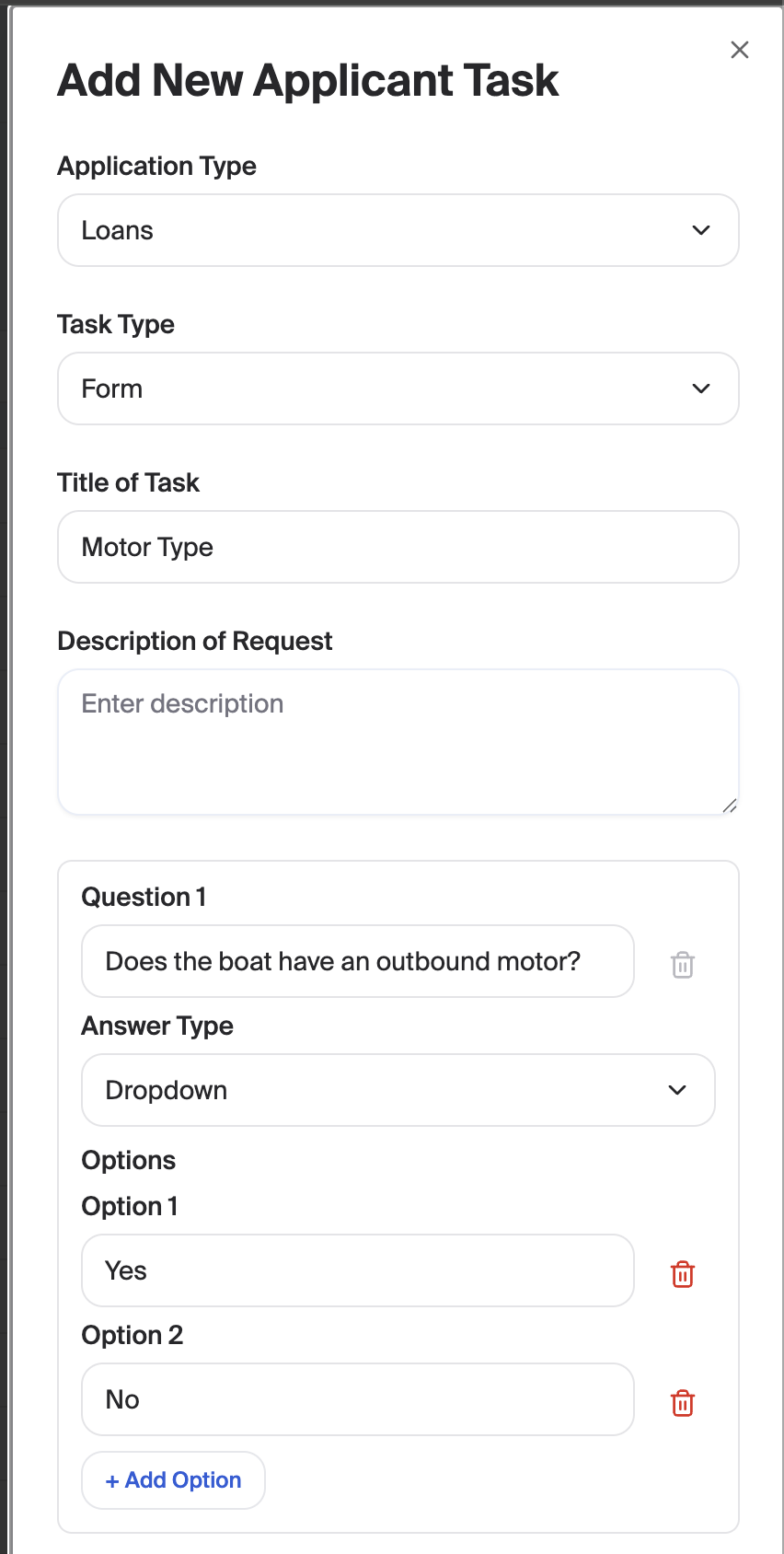
Create a form applicant task template for the information you need for the collateral. Use our conditional applicant task feature to trigger this task based on the answer to the qualifying question. Example: If the user selected "Yes" for "Does your boat have an outboard motor?", then add this task to the application.
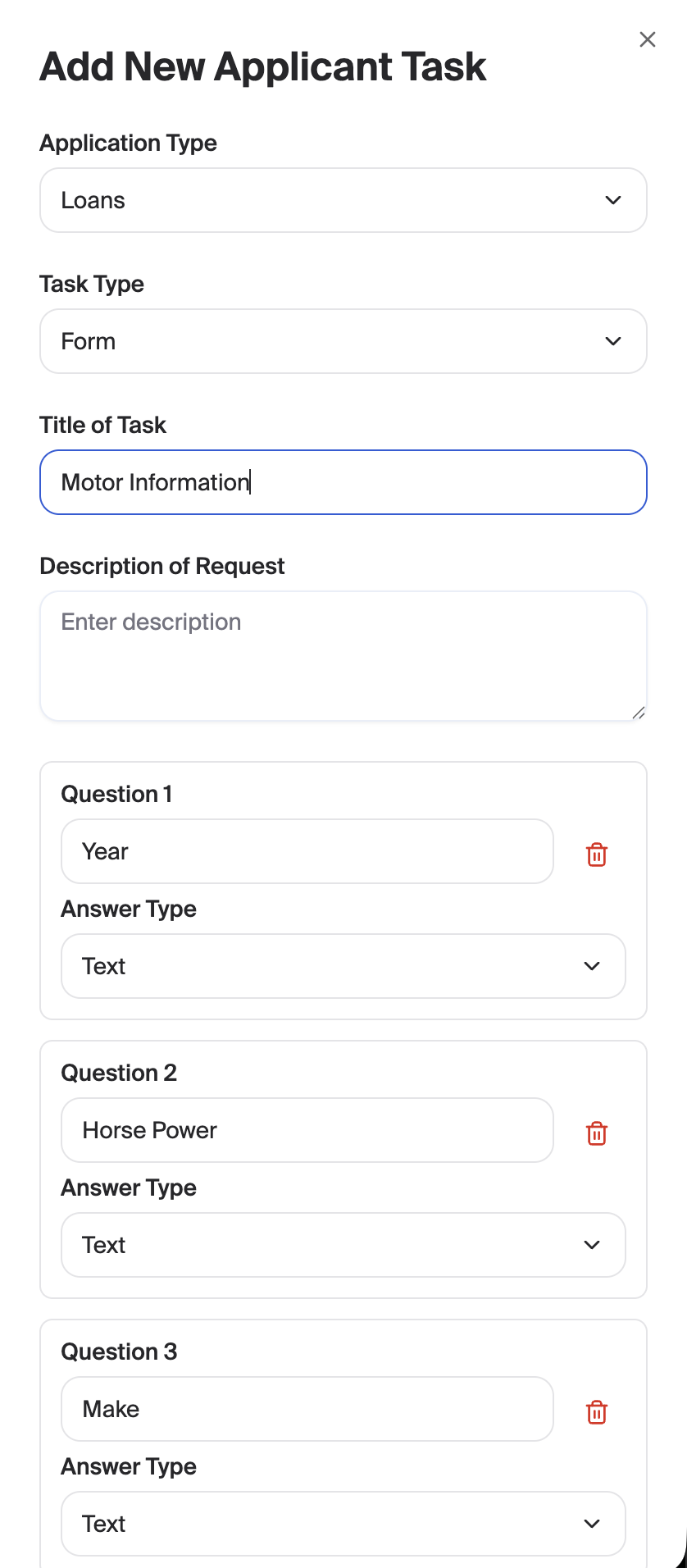
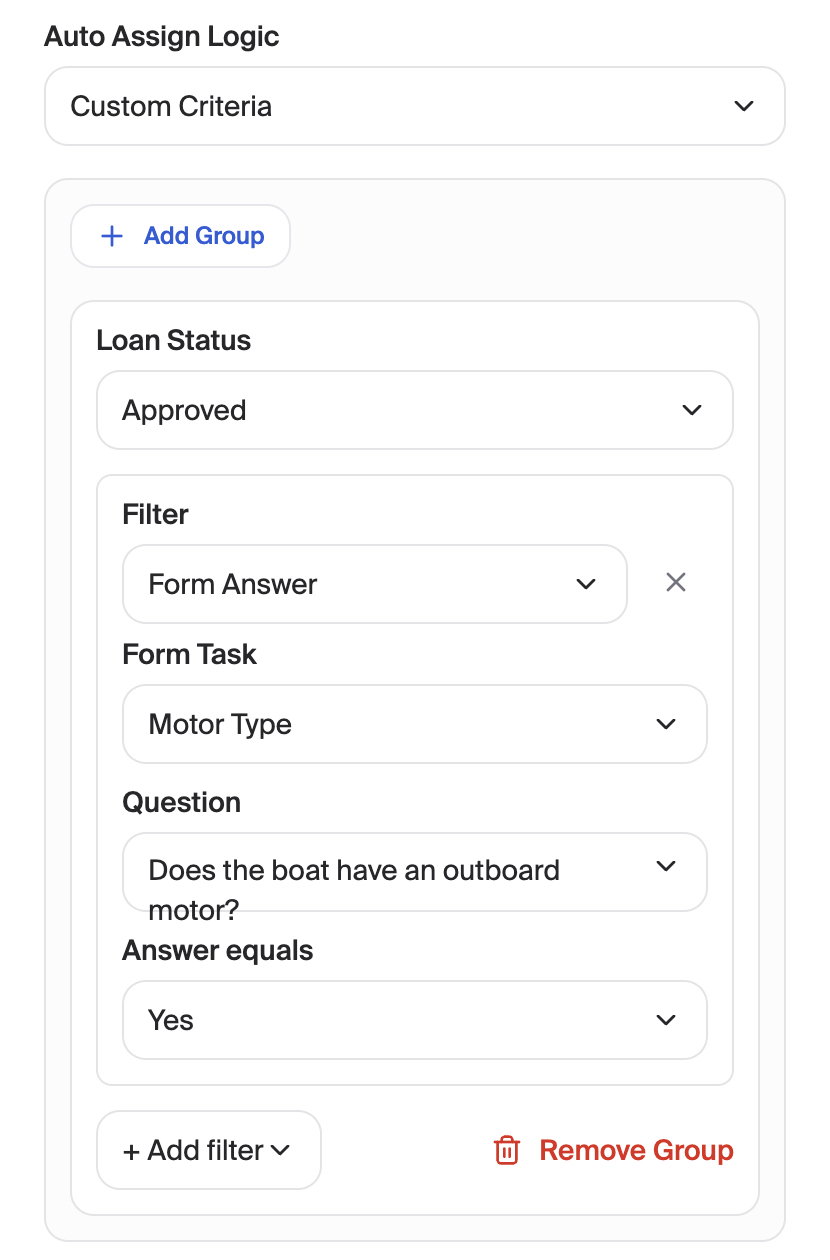
Add the qualifying question applicant task to the loan application. This can be done in one of 2 ways:
(Highly recommended) Use our conditional applicant task feature to automatically add the task for certain loans. Example: If Loan Type is "Boat" and the application status is "Approved", then add the "Boat Motor Type" applicant task.
Manually add the applicant task to applications that require it.
Once the user enters a response for the qualifying question, the collateral task will automatically be added depending on their response.
Review the user's responses in the Applicant Tasks tab of the application.