Configuring Your Digital Loan Application: How to Update Your Rate Sheet
Last updated: February 19, 2026
Overview
Follow these steps to modify your institution's Rate Sheets.
Download the Template
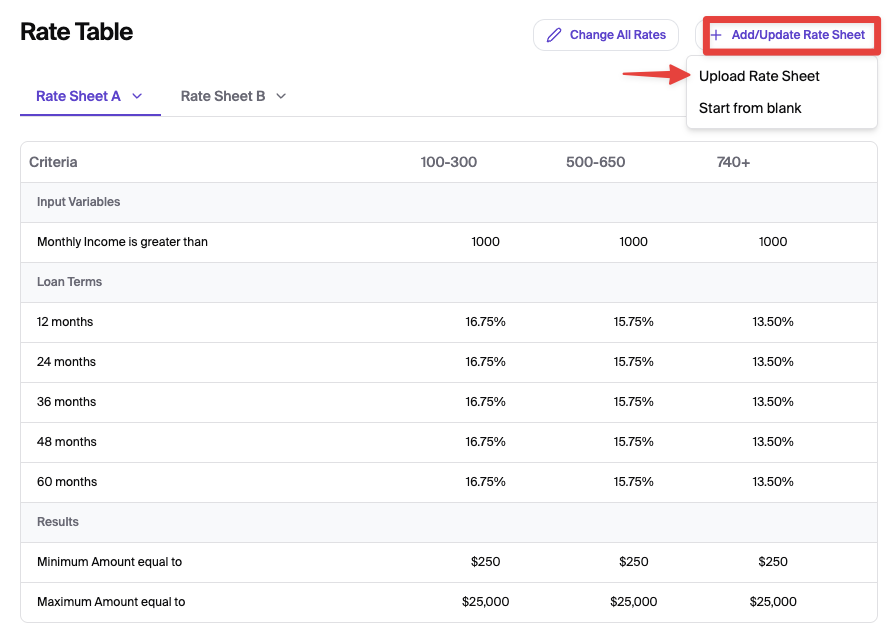
Click the + Add/Update Rate Sheet button to download your current configuration. This file contains your specific variables, tiers, and existing loan limits.

Update Credit Tiers (Columns)
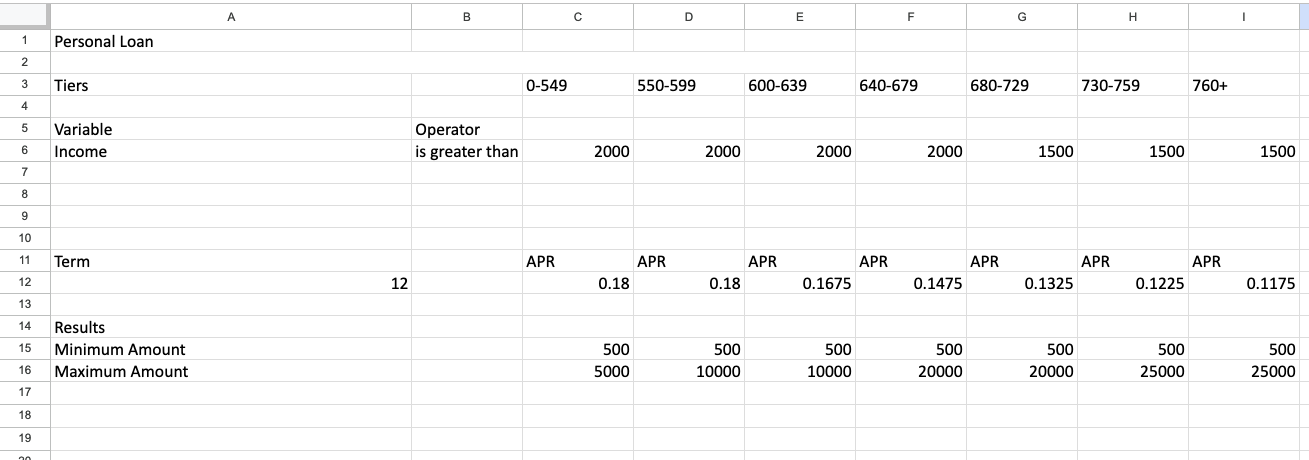
Tiers are defined in the header rows (e.g., 0-549, 550-599, 760+). Tiers must match the tiers defined in the Lending Settings Tab.
Modify a Range: Select the cell containing the range and enter the new values. Important: Ensure ranges are continuous and do not overlap.
Add a Tier: Insert a new column. You must fill in all rows (e.g., Variables, APR, and Min/Max amounts) for the new tier to be valid.
Remove a Tier: Delete the entire column associated with that credit score bracket.
Adjust Rates and Loan Limits
Under each tier column, modify the following:
Interest Rates (APR): Enter new rates applicable to the APR rows using decimal format (e.g., enter
0.1675for 16.75%).Loan Term: Enter new terms applicable to the APR.
Loan Limits: Update the Minimum Amount and Maximum Amount rows to set the borrowing boundaries for each specific tier.
Manage Variables (Rows)
Variables like "Income" are listed in Column A.
Add a Variable: Insert a new row. The variable name in Column A must match Glide-supported criteria names exactly for the system to recognize it.
Remove a Variable: Delete the entire row for any criteria that no longer applies to your institution.
Apply the Operator Logic
Add an operator: Insert an operator to each variable. The Operator logic must match Glide-supported operators. These are applied to Variables (like Income or Debt-to-Income) to determine which tier a customer qualifies for.
Example of Template
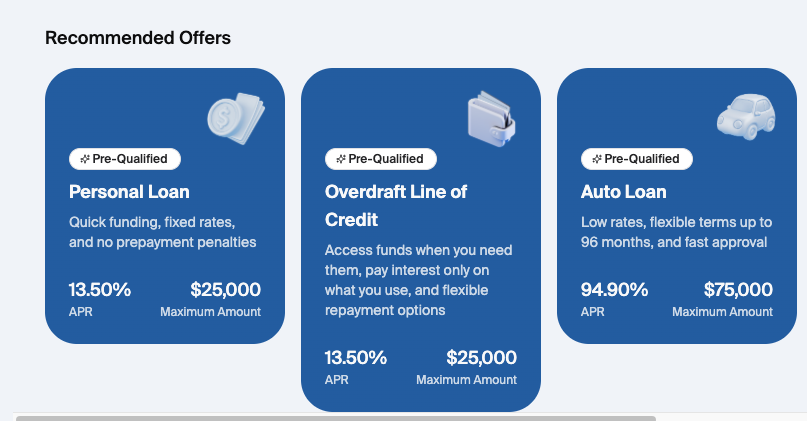
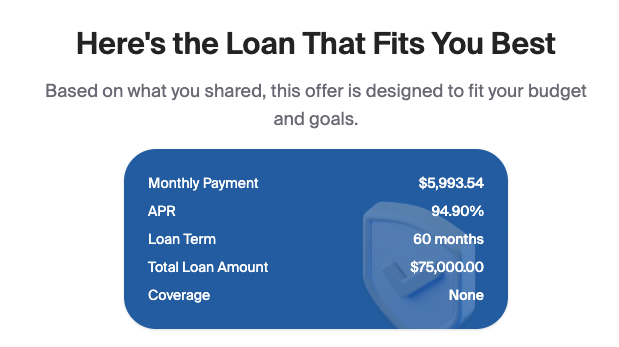
The image below shows the 'End user Display.' for the Rate Sheet configurations.
Save and Upload
Save your updated file in .xlsx format. Click + Add/Update Rate Sheet again to upload the file. Once processed, the Rate Table on your screen will refresh to reflect the new data.