Streamlined Address Validation with Google
Last updated: September 23, 2026
Google Address Validation Guide
Accurate addresses are critical for financial institutions. Errors can lead to delayed communications, returned mail, compliance issues, and unnecessary costs. Many FIs spend thousands annually to mitigate these issues. Glide now offers address validation at no additional cost, integrating with the Google Address Validation API and adding proprietary matching logic to help staff capture the best, most accurate address every time.
How It Works
Glide’s address validation combines:
Google Address Validation API: Verifies and matches addresses against USPS CASS-certified standards.
Glide Proprietary Matching Logic: Enhances recommendations for staff members, ensuring the most accurate address is suggested for your applicant.
This hybrid approach reduces errors and ensures consistent, verified data across your systems.
Validation Modal Options
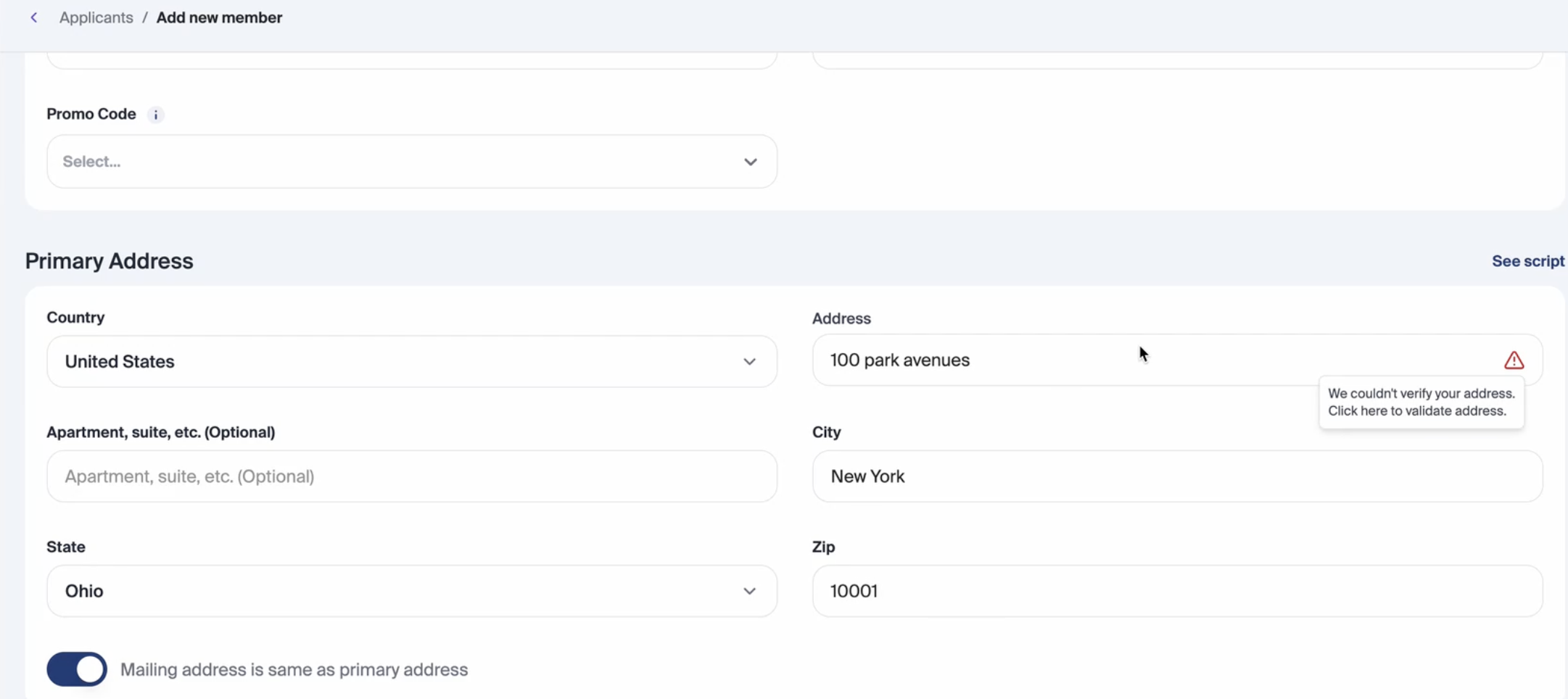
Before entering an address, staff members will see a yellow warning icon indicating that an address is required to proceed with validation.
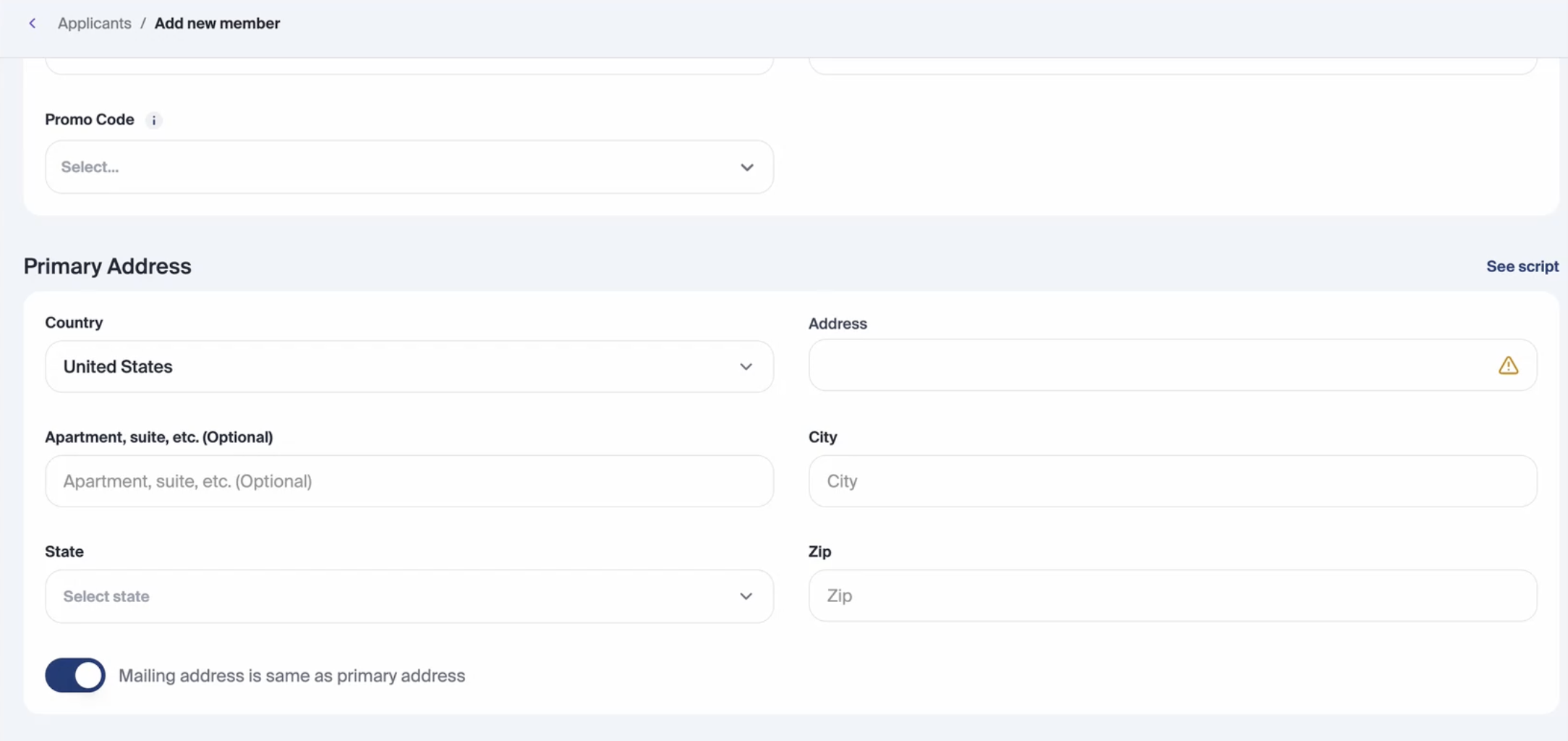
When a staff member validates an address in the dashboard, Glide presents a response based on Google’s Address Validation API combined with our proprietary backend logic. There are four key states to be aware of:
Valid Address
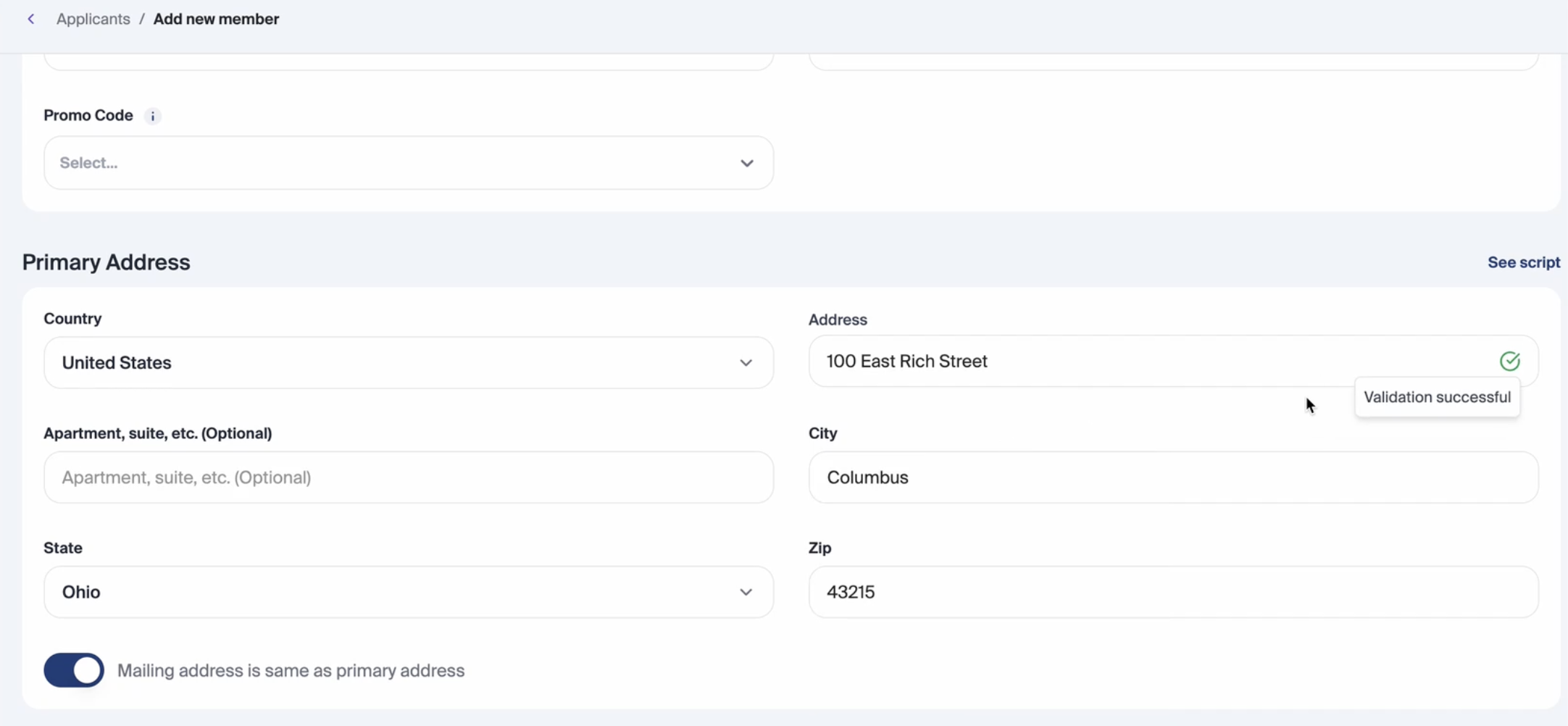
If the address entered is valid, the dashboard will indicate that validation has been successful. This confirms that the address has been verified using Google’s Address Validation.
Confirm Address
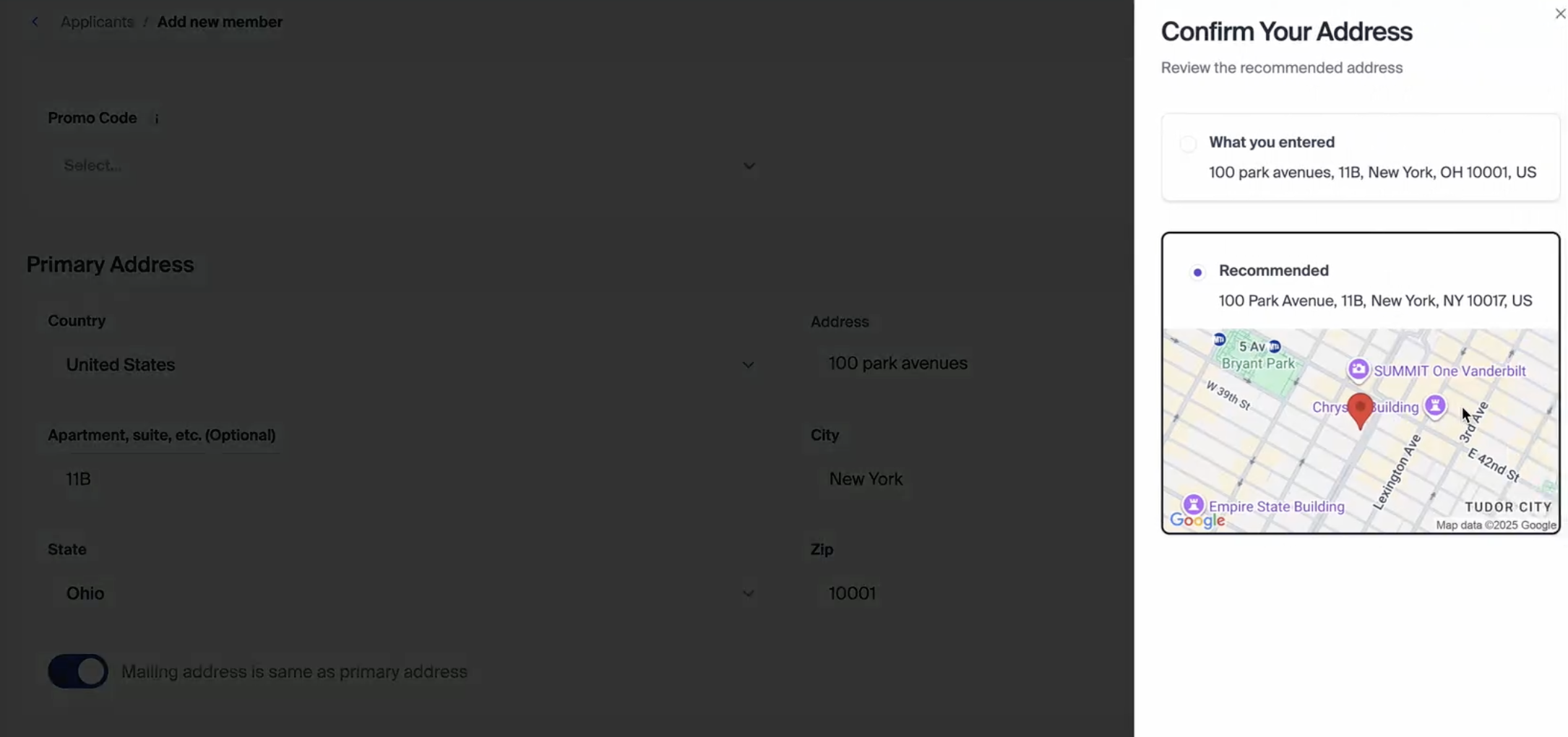
If Glide identifies a recommended address, the dashboard will display it for review, including a Google Maps preview so staff can visually confirm the location. Staff can then accept the suggested address, which automatically populates the full address in the dashboard.
Confirm Missing Information
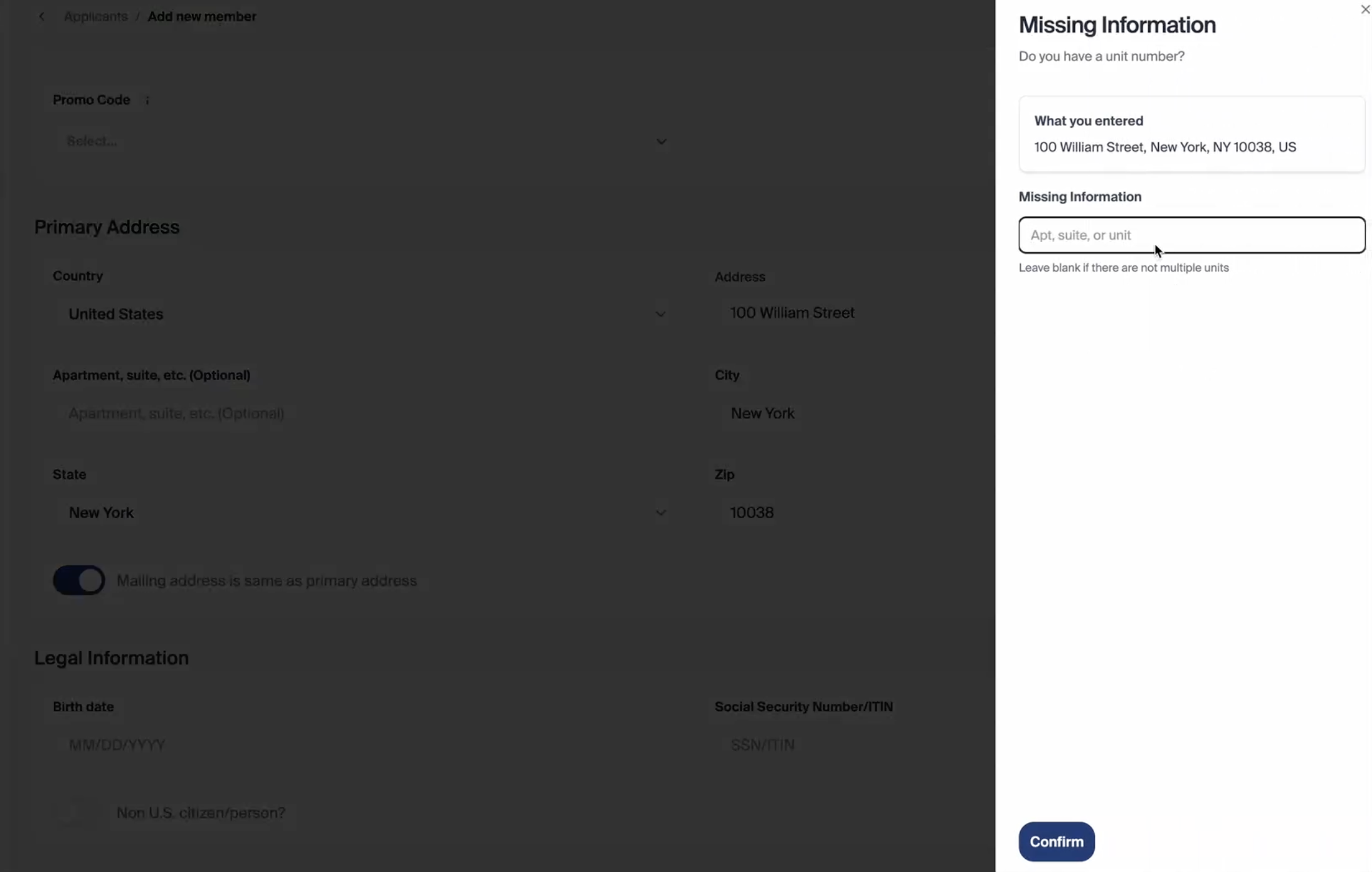
If certain details are missing (such as an Apartment, Suite, or Unit number), the dashboard will prompt the staff member to enter the required information. Once provided, the full address is populated in the dashboard.
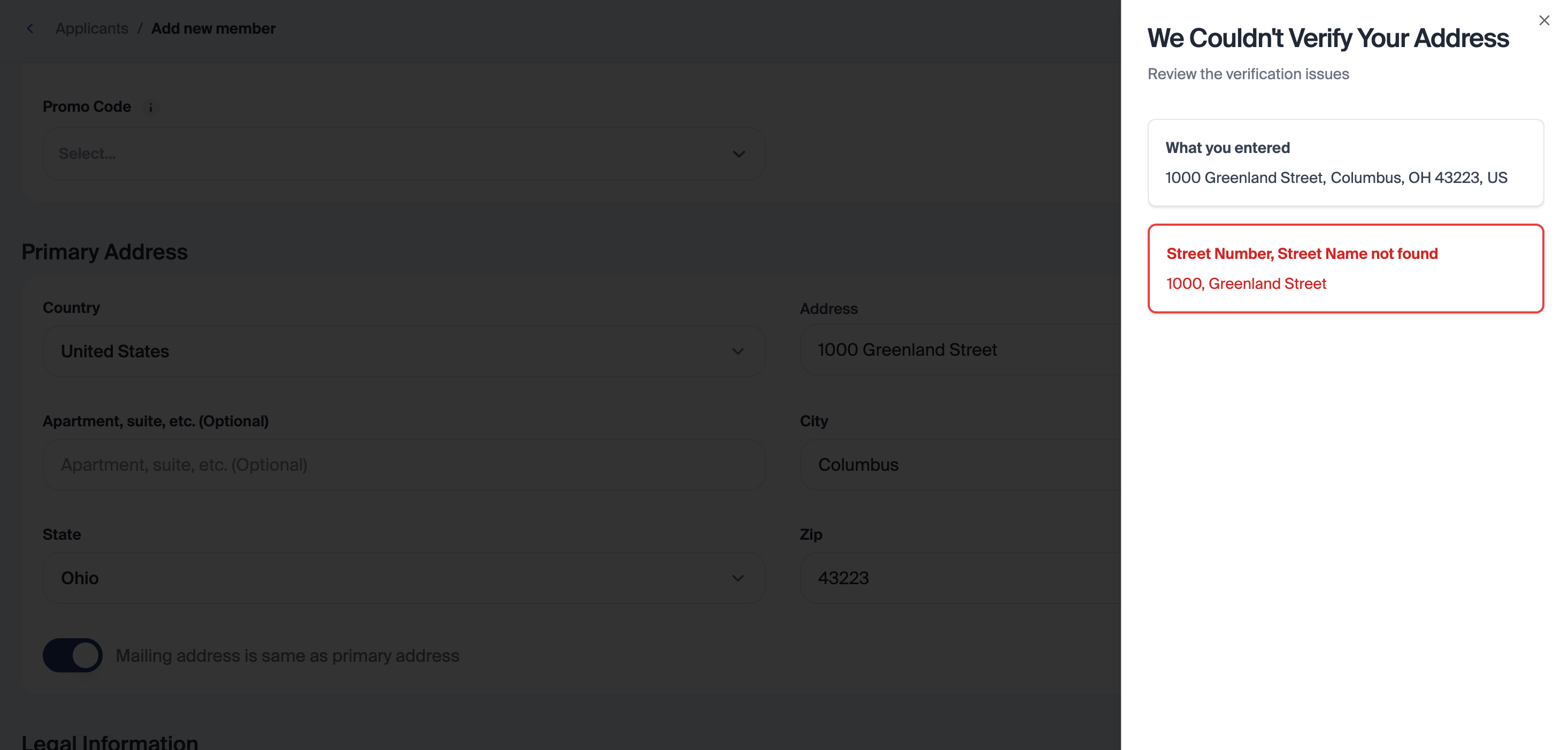
Unverified Address
If the address cannot be verified, the dashboard will inform the staff member. In this case, staff can manually confirm or correct the address as needed.
Note: All apartment numbers or secondary address details are properly passed to Line 2 of the address in the core system, ensuring consistent formatting and delivery.
Where Validation Is Applied
Address validation is currently available in these workflows:
Add Member Flow in Dashboard: supports all membership types (personal, joint, trust, business, minor).
Add Roles Flow in Dashboard: ensures all new role assignments are tied to verified addresses.
This ensures validation is consistent across all applicant onboarding and management actions.
Benefits for Staff and Institutions
Reduced Risk of Errors: Automated verification minimizes returned mail and compliance issues.
Time Savings: Staff spend less time manually correcting or researching addresses.
Consistent Data: Proprietary matching ensures all addresses adhere to USPS standards.
Operational Efficiency: Accurate addresses feed downstream systems without manual intervention.
Best Practices
Always review the recommended address in the modal if available and if the existing address is unverified before proceeding.
Enter missing apartment or suite details when prompted to avoid incomplete records.
For unverified addresses, double-check the information or contact the applicant to ensure accuracy.
Glide’s integration with Google Address Validation ensures your team has a reliable, streamlined process for capturing accurate addresses, reducing cost, and improving applicant experience.