Glide’s Unified Signature Platform: Streamlined Multi-Signer Workflow
Last updated: September 23, 2026
Multi-Signer Workflow Introduction
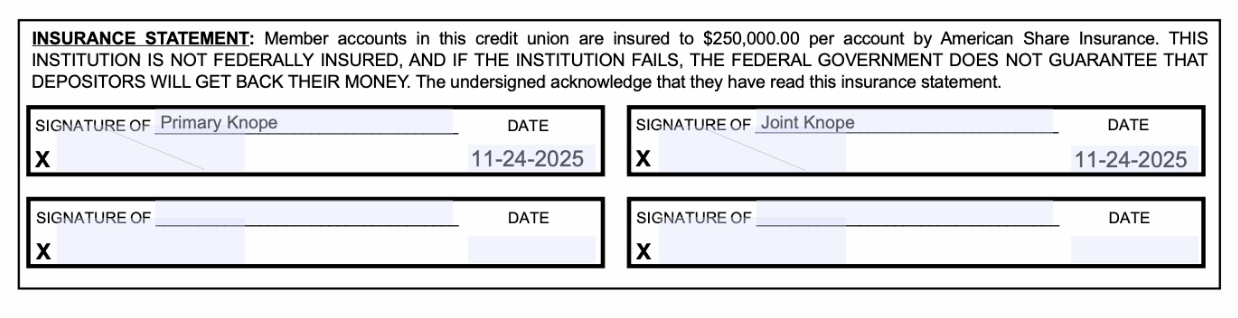
The Multi-Signer Workflow allows staff to efficiently collect signatures from multiple signers on a single, consolidated document. It supports all membership types: personal, joint, trust, business, and minor accounts. The workflow also accommodates signatures collected in-branch, remotely, or using a combination of both methods.
The workflow helps FI staff streamline operations by consolidating multiple signatures into a single process, reducing errors, and preventing duplicate or misordered signature cards. Hybrid collection methods enable seamless management of both in-person and remote signers, while maintaining a complete, auditable trail for compliance and reporting. Applicants benefit from a faster, smoother experience, helping accounts get set up quickly and accurately.
When the Multi-Signer Workflow Is Used
Joint accounts requiring multiple signatures
Trust accounts with co-signers or trustees
Business accounts with authorized signers
Minor accounts requiring guardian signatures
Key Functionality
1. Unified Multi-Signer Workflow
The Multi-Signer Workflow allows staff to collect multiple signatures on a single document, ensuring that documents are only generated after all required signatures have been collected. This process prevents duplicate signature cards across all account types, including personal, joint, trust, business, and minor accounts.
2. Flexible Collection Methods
Staff can collect signatures in-branch using the dashboard’s signature pad, or remotely by sending secure email links.
The workflow also supports mixed-mode collection, allowing some signatures to be collected in-branch while others are collected remotely within the same batch.
Automatic approval depends on the account type, the selected signature-collection methods, and whether all signatures are required. Review the approval guidance shown in the collection modal.
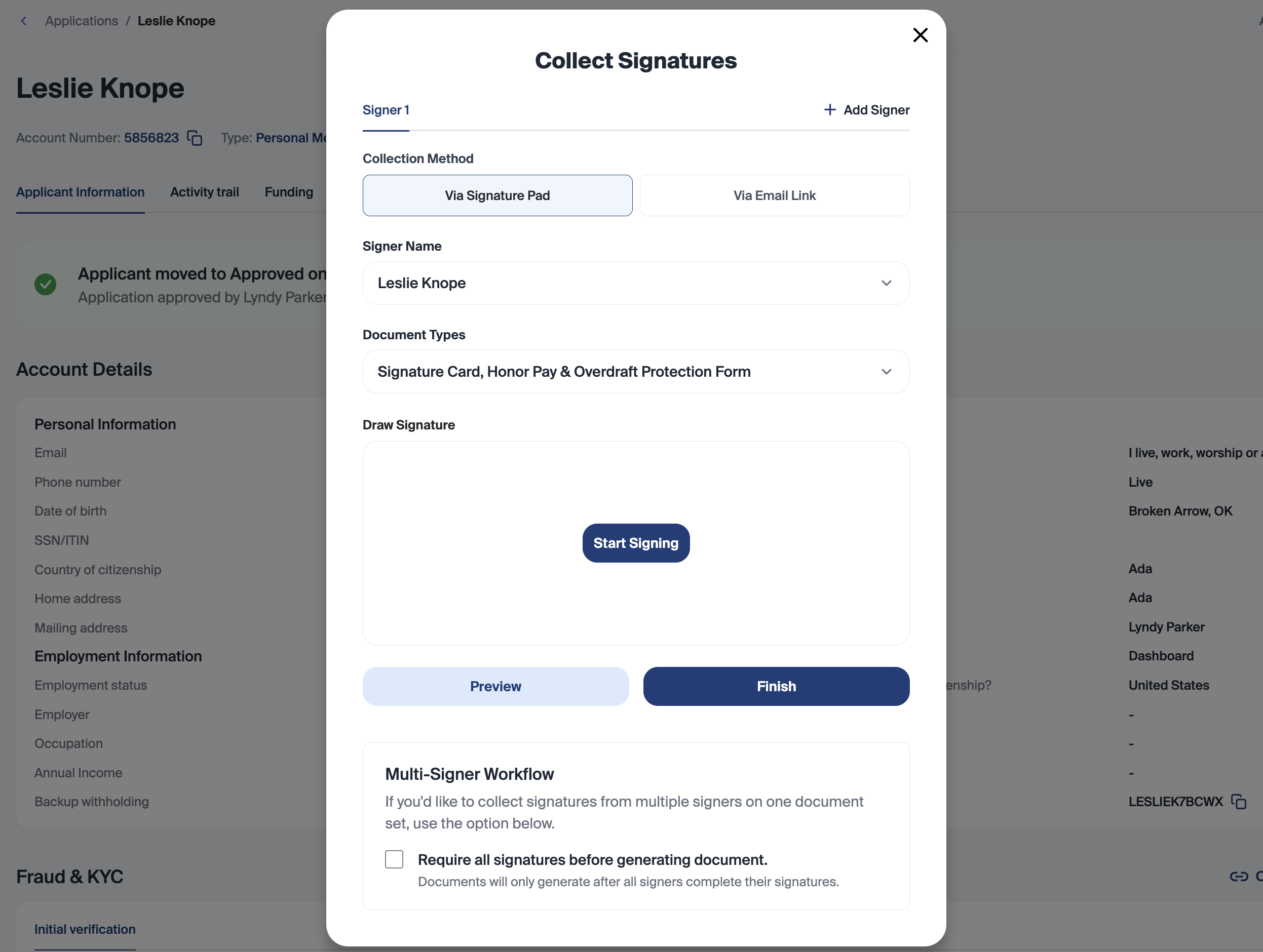
Signer Email Pre-Fill in the Collect Signature Modal
For the Link collection method, the email field can use saved information for that signer slot or the selected signer’s record. Review the recipient before sending.
Changing the Signer Name can update the email field when the selected signer has an email address. A saved value may be retained when restoring that signer’s slot; always check the displayed address.
The email field requires a valid email format. If the intended signer has no email on file, enter and verify the correct recipient address before sending the link.
3. Batch Coordination & Resumption
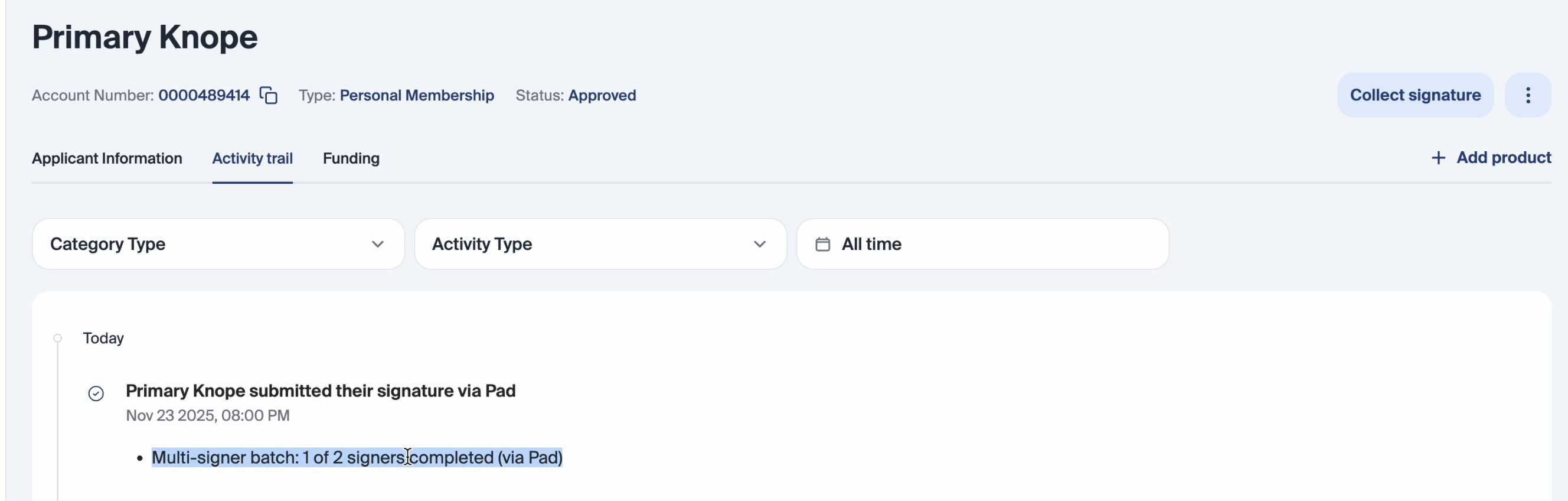
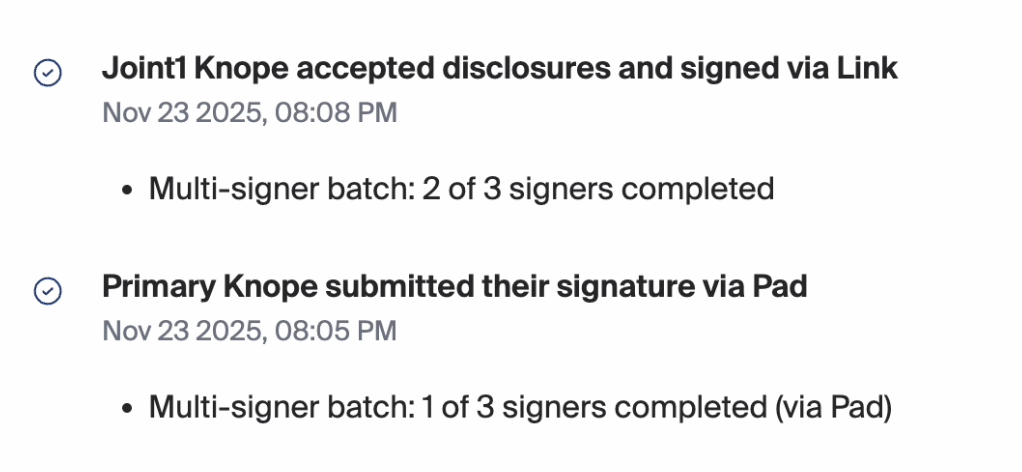
Staff can pause the signature collection process at any time and resume it later without losing progress. The system automatically flags incomplete batches, making it easy to continue collection. Progress banners display the status of the batch, for example: “1 of 3 signers completed.”
4. Activity Trail & Transparency
The system tracks which signer completed their signature and the method used, providing complete visibility into the signature collection process. When all signatures are collected, a completion notification confirms that the batch is finished and the document has been generated.
5. Duplicate Prevention
The system automatically filters out signers who have already been selected, preventing duplicate entries in a batch. Additionally, all signer selections are retained even when staff switch between tabs or pause and resume the workflow, ensuring no signatures are missed or repeated.
How to Use the Multi-Signer Workflow
Step-by-Step:
From the staff dashboard, open the Collect Signature modal to start a new multi-signer batch.

Select all required signers for the document.
Choose collection method for each signer (Pad or Link).
Collect signatures in-person or send remote links.
Monitor progress using the activity banner and/or activity trail.
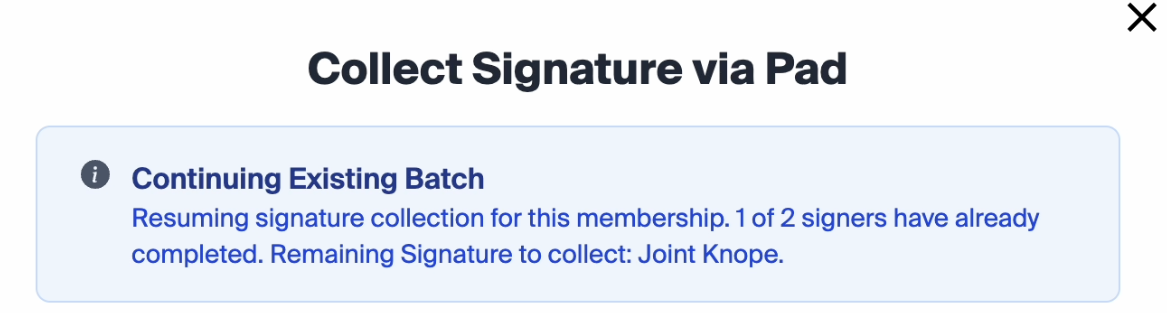
Example of activity banner on the multi-signer modal Pause/resume as needed.
Documents generate automatically once all signatures are collected.

Impact for FIs
Increase operational efficiency: Streamline multi-signer processes to reduce staff workload and accelerate account setup.
Minimize errors and risk: Prevent duplicate or mis-ordered signature cards, protecting both staff and applicants.
Support flexible workflows: Enable hybrid signature collection (both in-branch and remote) without disrupting operations.
Ensure compliance and transparency: Maintain a complete, auditable trail of all signatures and collection activity for regulatory reporting.