In-Branch Account Holder Data Import Using SSN
Last updated: September 23, 2026
Overview / Business Value
Multiple accounts or core relationships may be opened for the same individual, creating a risk of duplicate records, data entry errors, and inefficient workflows. This feature lets staff quickly search for and import existing account holder information using Social Security Numbers (SSNs), ensuring new applications start with accurate, up-to-date data.
By preventing duplicates and simplifying data entry, financial institutions reduce operational overhead, accelerate onboarding, and improve service efficiency. Staff spend less time reconciling records and more time delivering meaningful interactions, while account holders enjoy a faster, smoother experience. The result is better data quality, streamlined operations, and stronger account holder relationships.
When This Feature is Used
This feature is used whenever a staff member needs to import account holder information based on a known SSN. The feature validates the SSN, displaying the most recent matching account holder, and allowing import of their information.
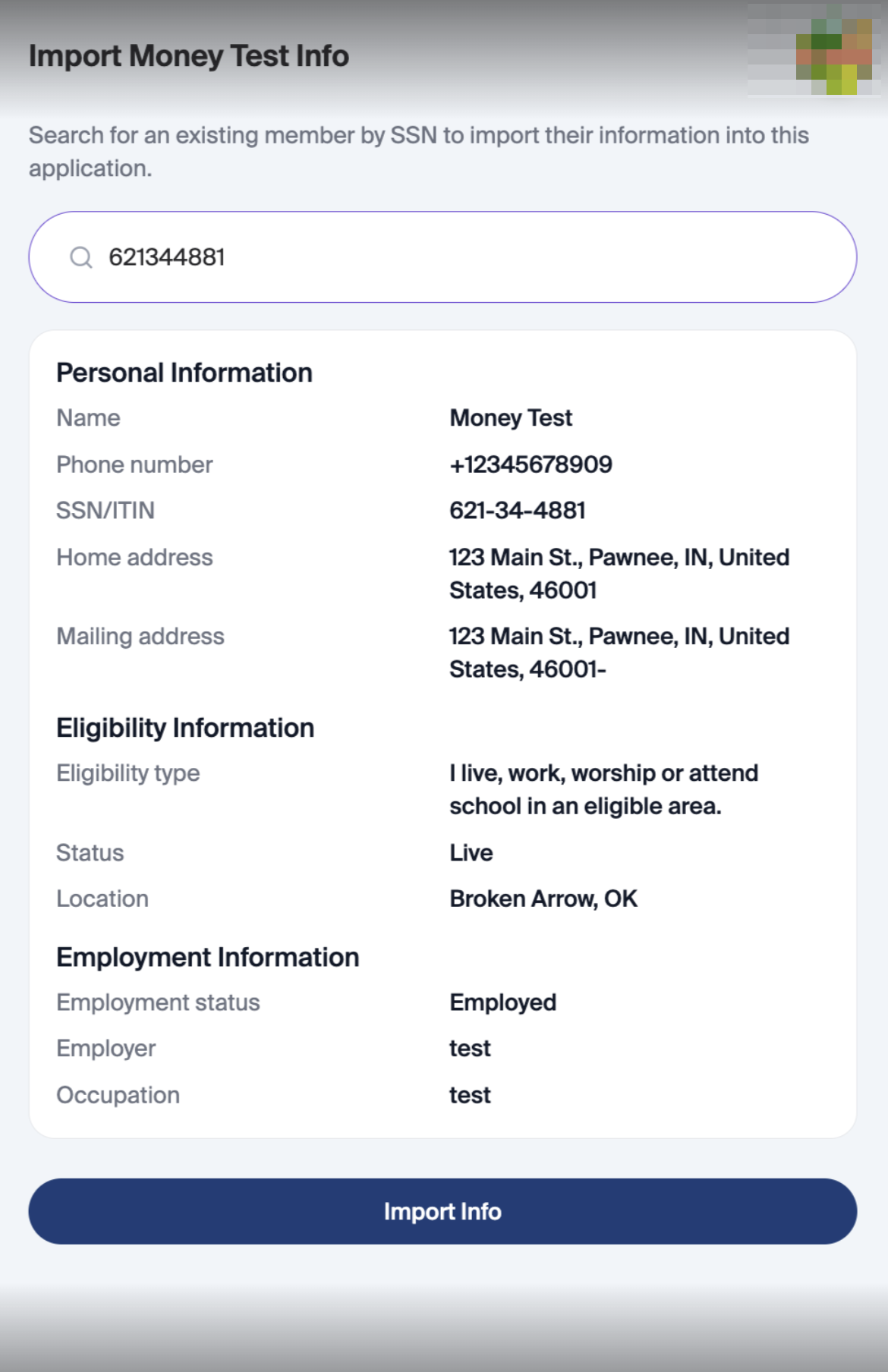
Entry Point: Click “Import Member Info”
Steps:
Initiate Import
Staff member clicks the “Import Member Info” button.
Enter SSN
Staff enters all 9 digits of the SSN.
SSN Validation
System checks if the SSN exists in the core.
Outcome:
Found: Slide-out panel opens.
Not Found: System indicates no match.
Slide-Out Display
Shows the most recent account holder with the matching SSN.
Staff can review details before importing.
Import Action
Staff selects Import Member Info.
System imports account holder information into the current application.
Using Import Member Info in a Business Application
The Import Member Info feature is available in Business applications. Staff can search by SSN and import the returned information into the application.
When a matching record is found, the slide-out panel previews the available personal information before staff confirm the import. Fields can include contact details, addresses, eligibility information, and employment details.
After staff confirm, the returned fields populate the application form. Review the imported information and complete any missing required fields.
If no match is found, the panel displays No individuals found for this SSN. Check the SSN or continue with manual entry.
Additional Notes / Best Practices
Only the most recent account holder record with the matching SSN is displayed to prevent accidental overwrites.
Staff confirmation is required to ensure accuracy before importing.
Validation only triggers for complete 9-digit SSNs.
Supports faster onboarding, reduces duplicate data, and enhances operational efficiency.