Preferences Page
Last updated: September 23, 2026
Product terminology: Banks generally use “certificate of deposit” (CD); credit unions use “share certificate.” This guide retains exact product labels and core terms such as “share,” “Share ID,” and “membership level” where they identify specific fields or records.
Overview
Glide's preferences page allows FIs to offer optional services, such as overdraft protection and courtesy pay. This page can be added to the account opening flow and supports multiple configuration options.
Keeping the preferences page off allows for the least friction during the account opening experience. FIs without the preferences page see up to 6% improvement in conversion compared to applications with preferences page turned on.
The URL for this page is /preferences. If enabled, this page appears just before the disclosures page. By default, this page is turned off.
Preferences Page Configuration Options
Note: The Preferences Page will never render if no questions would be visible to the applicant. This means financial institutions can use question-level conditional logic without risk of presenting applicants with a blank page.
Question Visibility Options
By default, each question added on the Preferences Page appears whenever the page itself is shown, unless constraint has been shown. The Preferences Page will never render if no questions would be visible to the applicant
Option A: Always show
The question appears whenever the Preferences Page is displayed, regardless of which accounts or membership type are selected.
Option B: Show only when a specific product (e.g. Premium checking) is selected
The question appears only if a specific account is selected.
Option C: Show only when a specific type of account are added
The question appears only when a particular type account type is selected, e.g. savings, checking, or share certificate. Useful if certain products or disclosures apply to some checking accounts but not others. This is the most common setting for questions like courtesy pay, which are only relevant to checking account holders.
Additional configurations:
Show only for specific membership types
Any of the above options can be further limited to specific membership types. For example, a question can be set to appear only for individual memberships when a checking account is added, but not for joint or trust memberships.
Skip Preferences Page for Add New Product (Existing account holders)
When an existing account holder selects Add New Product in the onboarding portal, the Preferences Page is skipped and not displayed, regardless of Preferences Page visibility configuration.
The flow proceeds directly to the next step after product selection. This behavior applies only to the Add New Product flow. All other onboarding flows continue to follow the configured Preferences Page rules.
Preferences Page Configuration Options:
Up to four elements can be added to the preferences page. Elements refer to either a required disclosure, optional disclosure, required selection, or optional selection.
Disclosures are the rectangular CTAs
Selections have a checkbox
We support defaulting the eStatement checkbox or eConsent checkbox on for the Preferences page only. It will apply to both the digital channel and dashboard applications.
Overdraft agreement selections are opt-in only (unchecked by default). An opt-out checkbox pattern is not supported.
See Debit Card Ordering for configurations on adding a debit card question to the journey
Additionally, disclosures or selections can be configured to be required to open to continue. Your Integration Team can help guide you on the best options based on your FIs requirements for preferences.
Example 1: Financial institution A
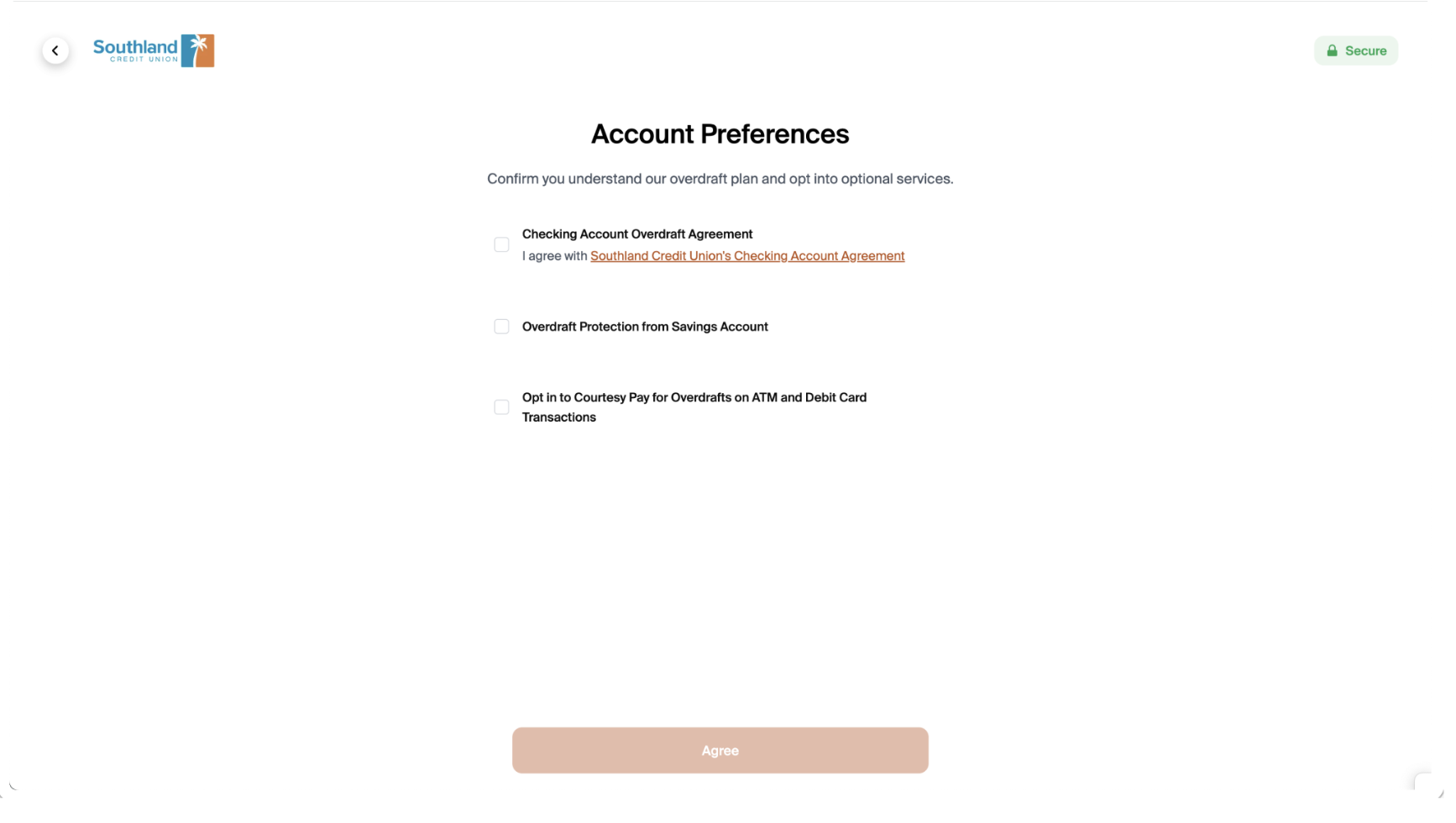
In this example, the first element is a required selection. Applicants cannot continue if they do not select the first element. The second and third elements are optional selections for Overdraft Protection and Courtesy Pay for Overdrafts on ATM/Debit Card.
Example 2: Financial institution B
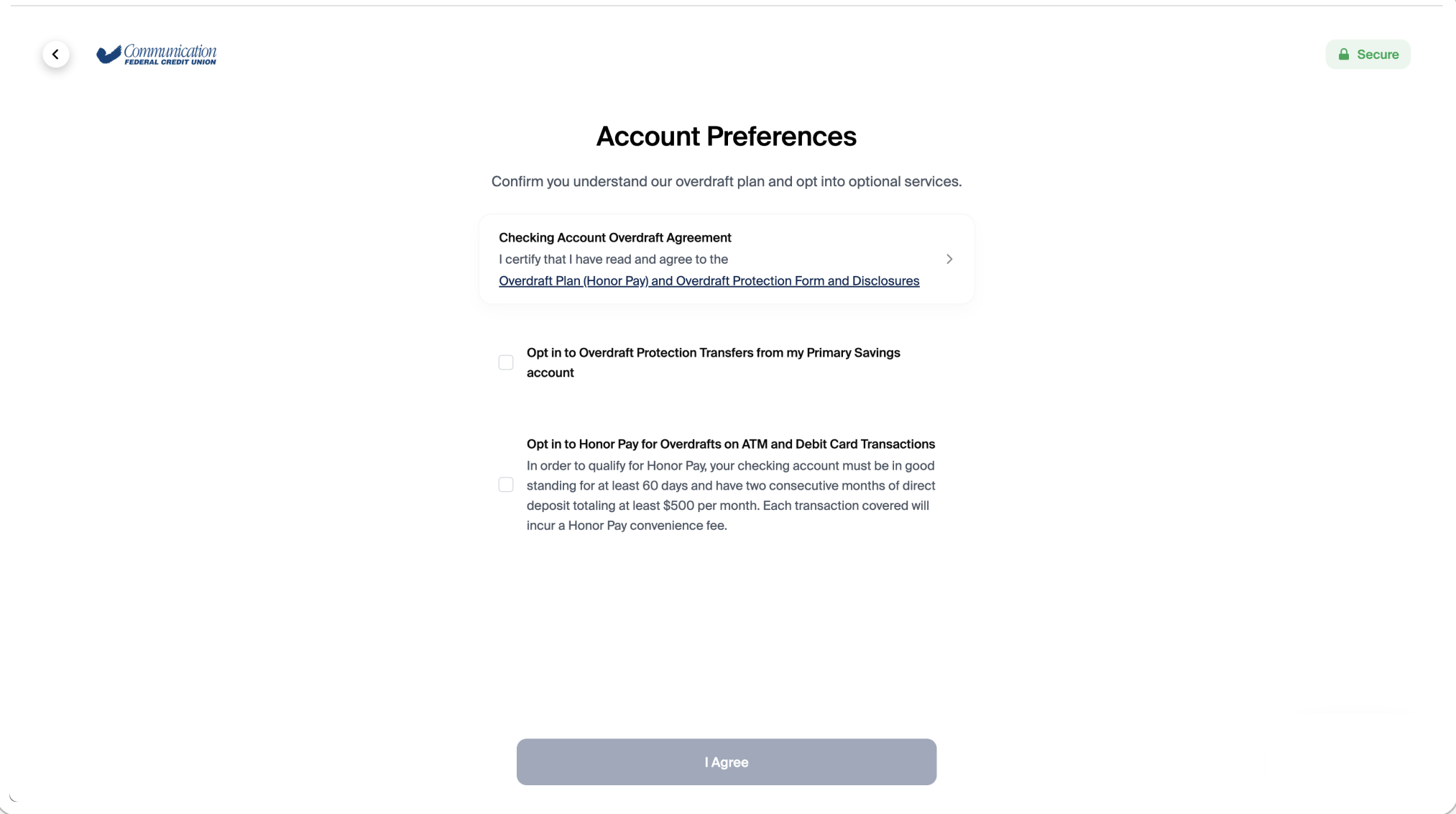
In this example, the first element is a required disclosure. In addition, the first element must be opened in order for the applicant to continue. Applicants cannot continue if they do not select the first element. The second and third elements are optional selections for Overdraft Protection Transfers and Overdrafts on ATM/Debit Card.
Example 3: Financial institution D
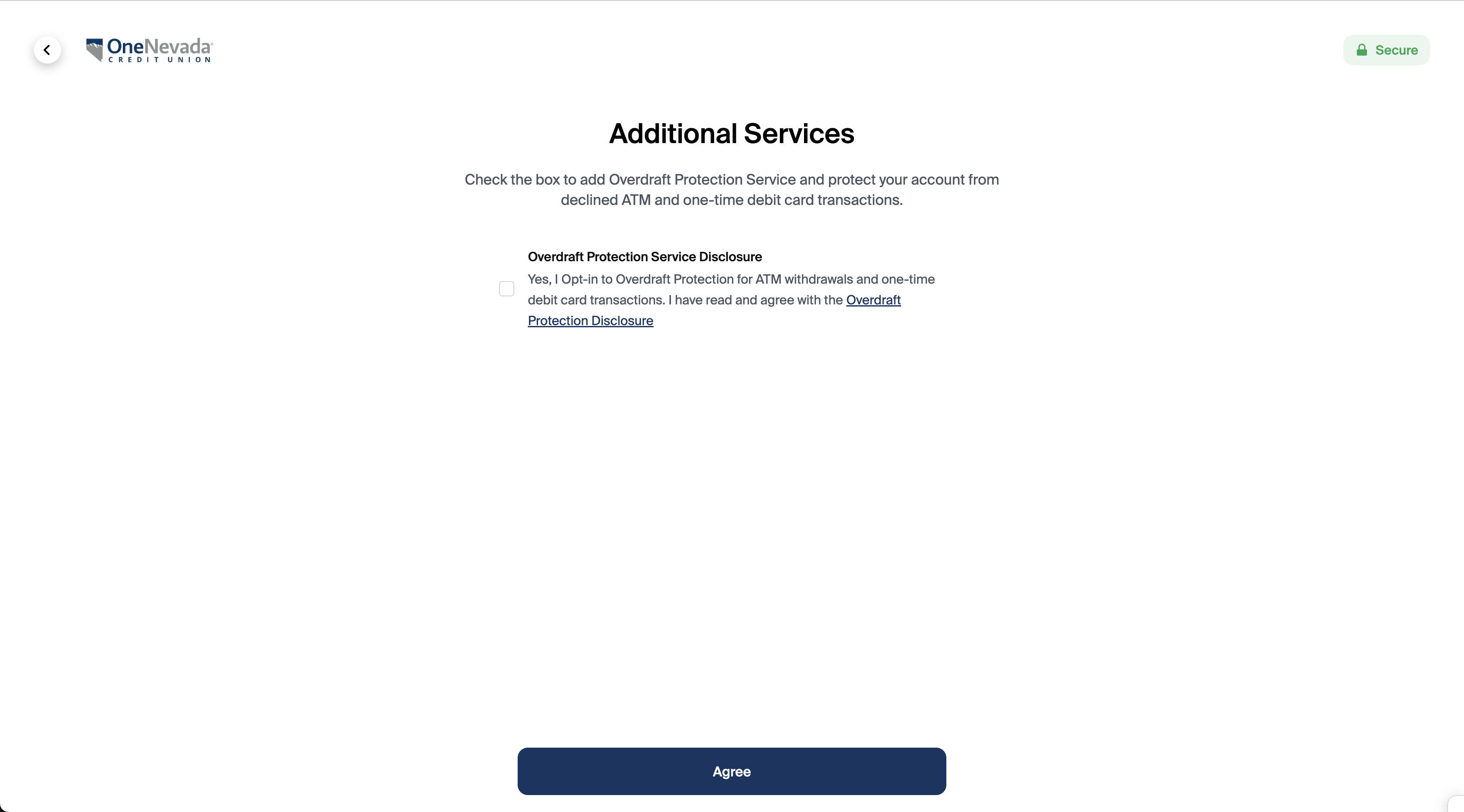
In this example, the financial institution included overdraft protection in their regular disclosures and presents one optional selection for Overdraft Protection for ATM withdrawals and one-time debit card transactions.