Optional Configuration: Accepting trust as beneficiary
Last updated: September 23, 2026
Overview
By default, Glide collects beneficiaries as individuals. You can optionally turn on accepting trust as a beneficiary, so applicants and staff can name a trust instead of a person. This is available in both the branch channel and the digital channel.
Ask your Glide team if you’d like this turned on.
Branch Channel
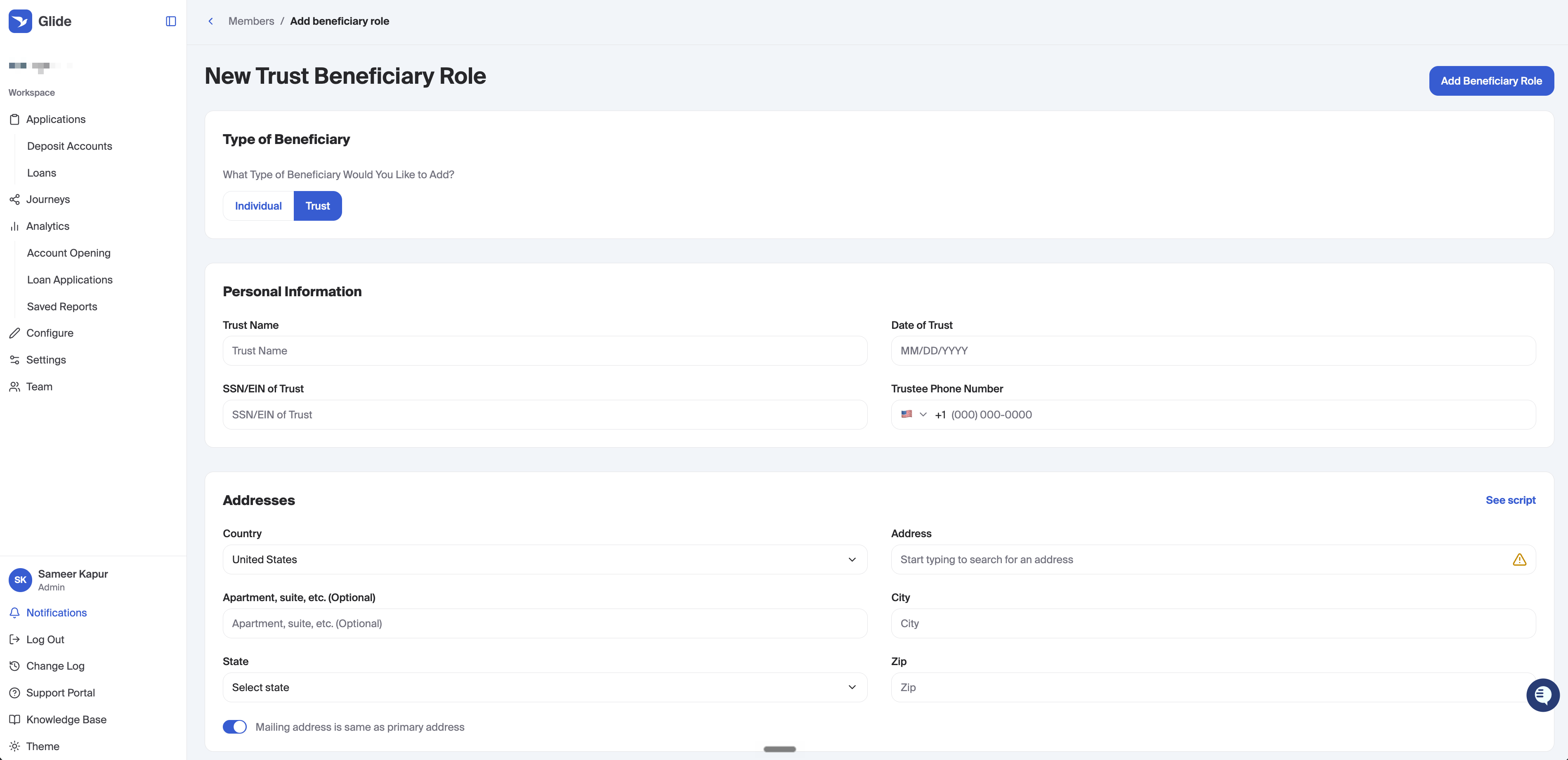
Staff can add a trust beneficiary when creating a new membership or when adding a role to an existing application.
Add a Beneficiary role.
Under Type of Beneficiary, choose Trust.
Enter the trust details and save.
Staff can also upload supporting documents (for example, trust paperwork) on this form.
Digital Channel
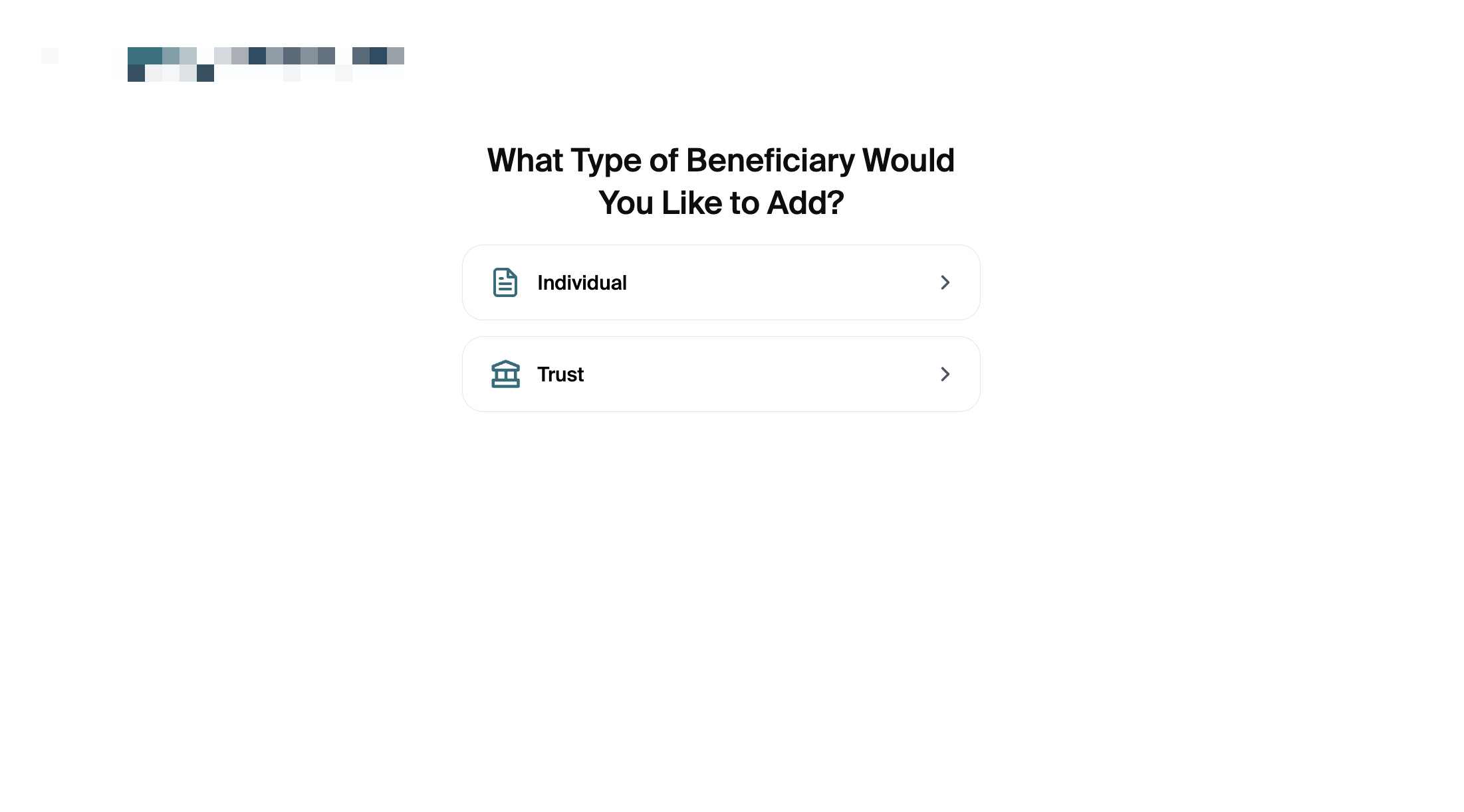
Applicants can add a trust beneficiary only through Add Beneficiary Now. The Send Invite option is for individuals and cannot be used for a trust.
The applicant chooses Add beneficiary.
They select Add Beneficiary Now.
They choose the type of beneficiary: Individual or Trust.
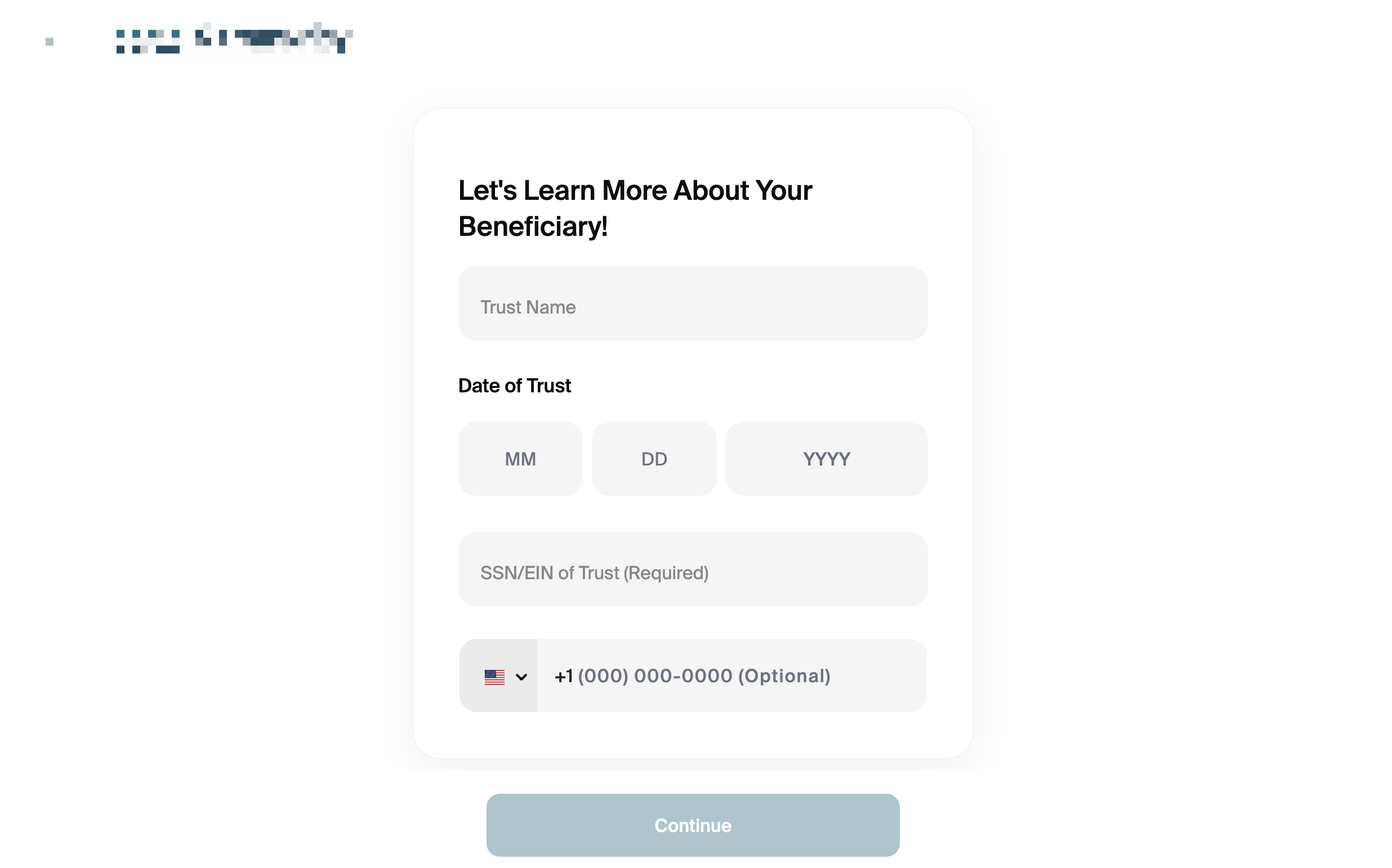
If they select Trust, they fill in the trust details and continue.
Fields collected
Field | Required? | Where it appears |
|---|---|---|
Trust Name | Yes | Branch and digital |
Date of Trust | Yes | Branch and digital |
SSN/EIN of Trust | Yes | Branch and digital |
Phone Number | No | Branch and digital |
Document Upload | No | Branch only |