Sensitive Applicant Configuration (Sensitive Members)
Last updated: September 23, 2026
Overview
The Sensitive Members feature allows financial institutions to restrict staff from viewing or taking action on employee account applications in the Glide dashboard. This enforces internal controls and prevents employees from self-approving their own accounts or approving other staff members' applications.
How It Works
When a membership is flagged as Sensitive, staff members are blocked from viewing or actioning that application. If a staff member attempts to open a Sensitive application, they will see the following message:
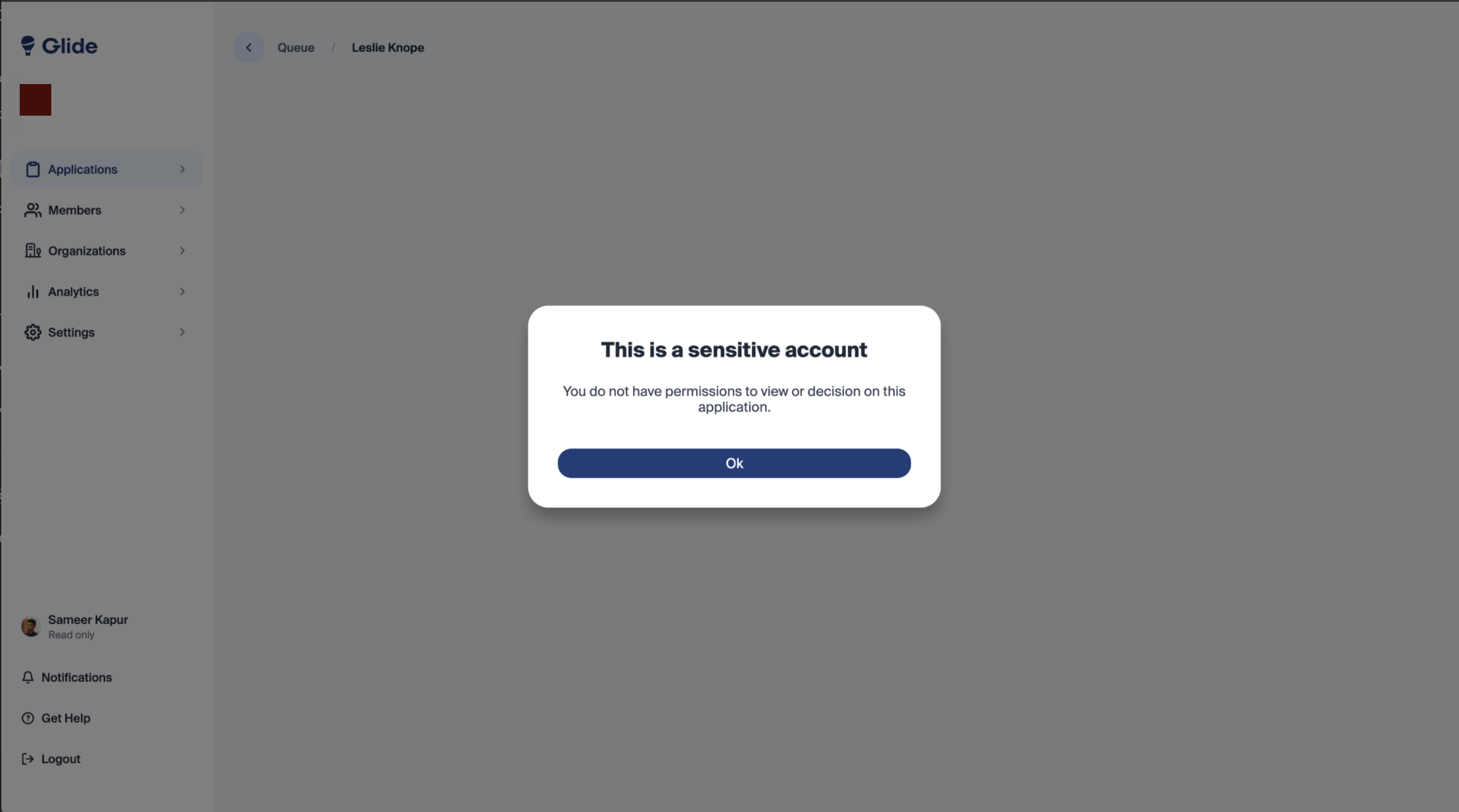
Staff who should be permitted to view and action Sensitive applications can be granted access via the Permissions settings. See Permissions & Team Roles Management for details.
Configuration Options
Sensitive Members can be configured in the following ways depending on your core and account structure:
Person Type (Core-based)
For supported cores, Glide reads a "person type" field from the applicant's core record to identify employees. When an employee person type is detected, the membership is automatically marked as Sensitive, restricting all staff from processing it.
Employee / Teller ID Matching
For cores that expose an employee or teller ID field, Glide compares the logged-in staff user's teller ID against the applicant's core record. If the IDs match, the system blocks the staff member from viewing or approving the application.
Eligibility Type / Subtype
For institutions that use a dedicated eligibility type or subtype for employees (e.g., a "Staff" or "Employee" eligibility category), Glide can be configured to automatically mark all applicants of that eligibility path as Sensitive. This ensures that any application submitted under that eligibility type is restricted from standard staff access.
Enabling Sensitive Members
To enable the Sensitive Members feature, contact your Digital Program Manager. Note that the exact functionality available may differ based on your core system.