Denying an Application
Last updated: September 23, 2026
Overview
This article explains how staff members can deny an account application in the Glide dashboard, what happens after a denial, and when Glide automatically sends notifications such as adverse action notices.
How to Deny an Application
Navigate to Applications in the Glide dashboard.
Open the application you want to review.
Review the applicant’s information and verification results.
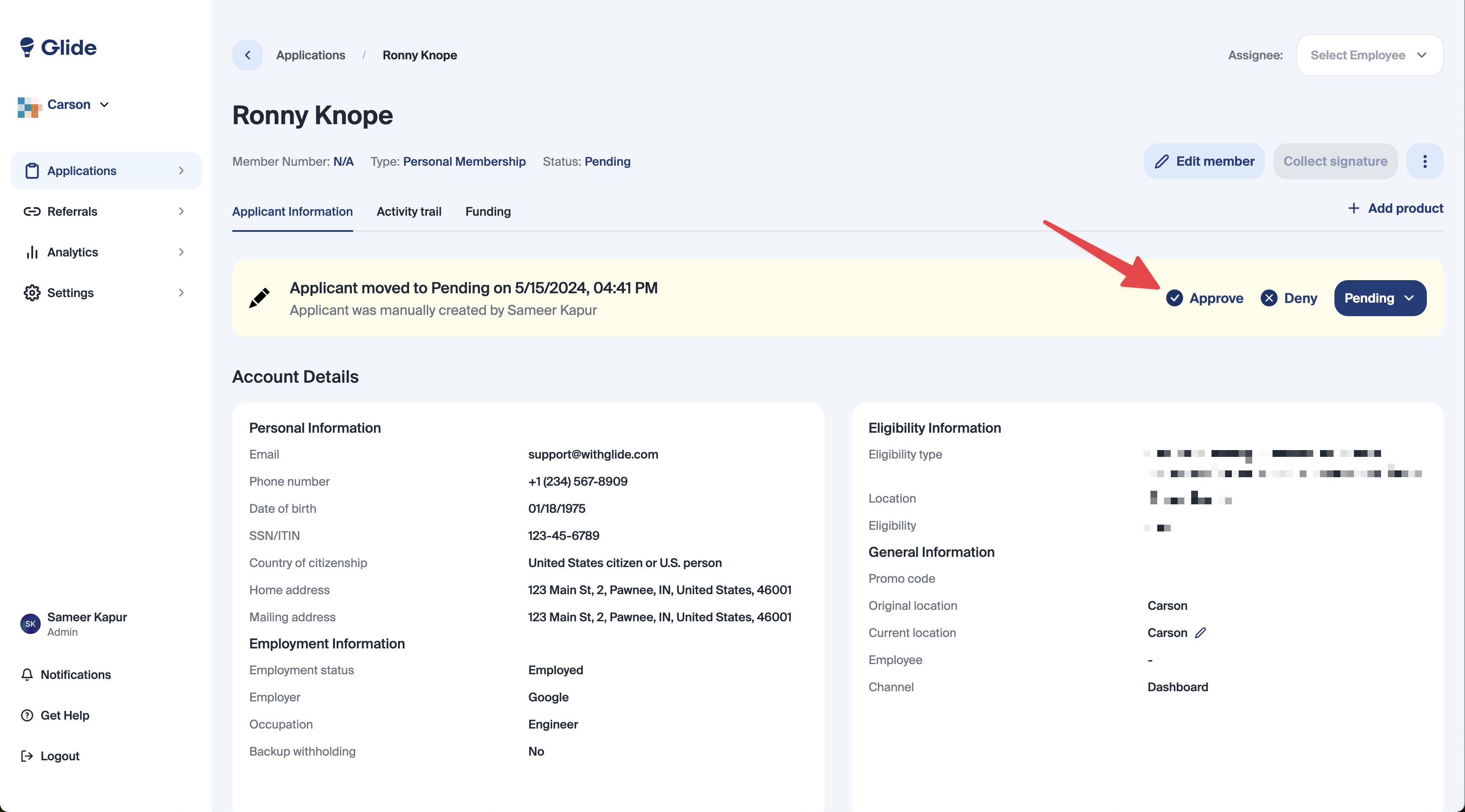
In the application status bar, click Deny.
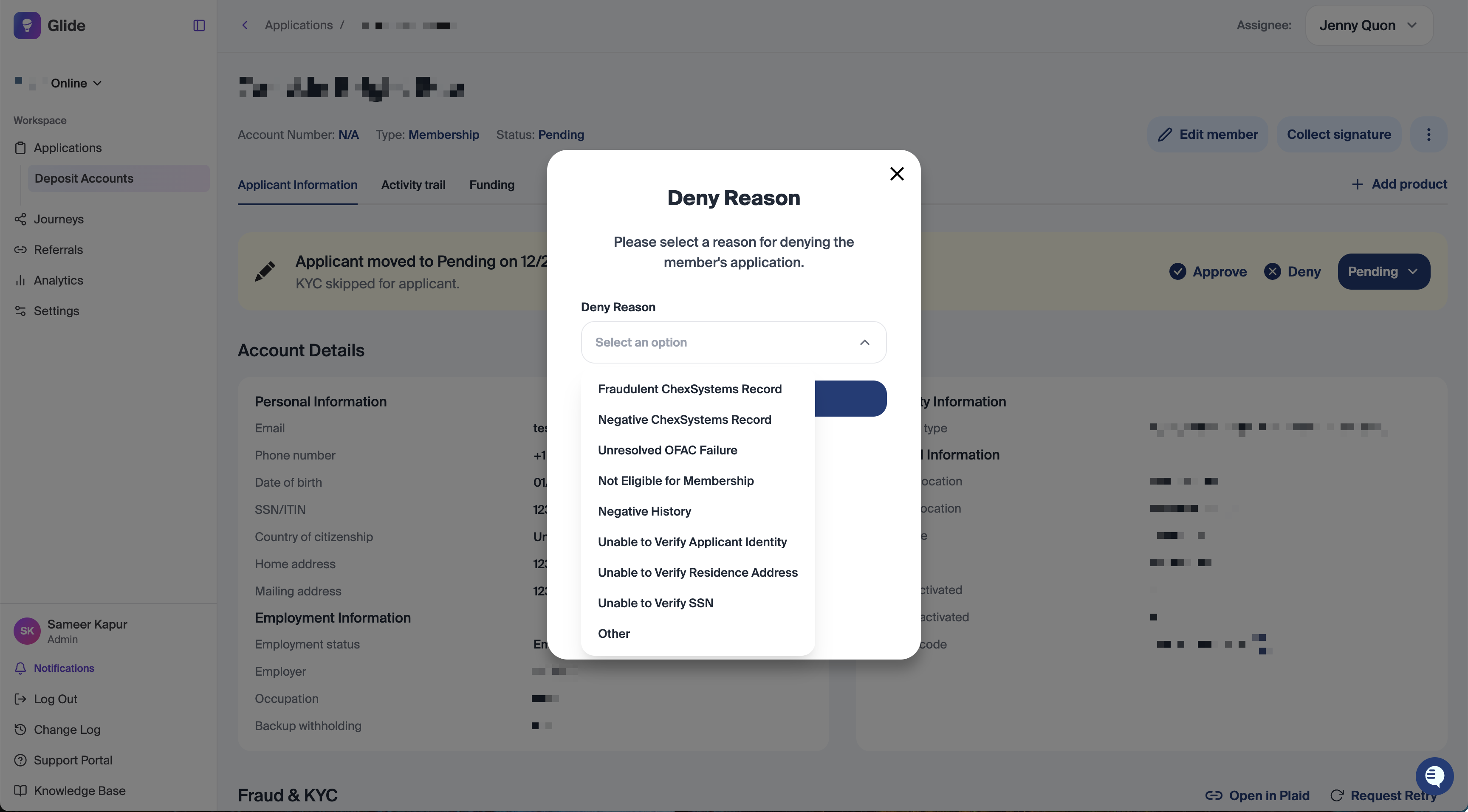
Select a Deny Reason from the dropdown.
Confirm the denial.
Once confirmed, the application status will update to Denied.
Deny Reasons
Denial reasons can be adjusted by request by the financial institution. When denying an application, staff must a denial reason or select "Other" and enter the reason information. The standard deny reasons are listed below:
Fraudulent ChexSystems Record
Negative ChexSystems Record
Unresolved OFAC Failure
Not Eligible for Membership
Negative History
Unable to Verify Applicant Identity
Unable to Verify Residence Address
Unable to Verify SSN
Other
The selected deny reason determines which notifications Glide sends automatically.
Notifications Sent After Denial
ChexSystems Related Denials
If the deny reason is ChexSystems related (for example, Fraudulent ChexSystems Record or Negative ChexSystems Record):
Glide automatically sends an Adverse Action Notice email to the applicant.
The notice is sent to the primary email address on the account application.
This satisfies legal notice requirements related to consumer reporting decisions.
Non ChexSystems Related Denials
If the deny reason is not related to ChexSystems:
Glide does not generate an adverse action notice letter
Glide does automatically send a standard denial email to the applicant, but does not generate an adverse action letter and add it to the documents table,.
What Is an Adverse Action Notice
An adverse action is a negative decision based on information from a consumer reporting agency, such as ChexSystems. These decisions trigger specific legal notice requirements.
Glide only generates adverse action notices when the denial is directly tied to ChexSystems data, otherwise we use generic denial language
Activity Trail and Audit History
All denial actions are recorded in the application’s Activity Trail, including:
The status change to Denied
The selected deny reason
The timestamp of the action
This ensures a complete audit trail for compliance and internal review.