International Applicants: Digital Channel
Last updated: September 23, 2026
Overview
Glide supports opening memberships for international applicants in a compliant manner, including W-8BEN form generation. The following configurations are activated by Glide upon request. Please contact your Digital Program Manager (DPM) to enable any of the configurations described below.
Optional Configurations
Configure SSN Requirement
Allows the financial institution to accept applicants without an SSN/ITIN/ATIN.
Includes an additional question to confirm whether the applicant has ever been issued an SSN or ITIN.
Handling Non-U.S. Persons
Asks applicants if they are a non-U.S. person, and if so, collects the necessary details to generate a W-8BEN form.
Configure SSN Requirement
Glide allows your financial institution to enable a flow where SSN/ITIN/ATIN is not required for account applications.
Accepting Applicants With SSN/ITIN/ATIN
The standard Plaid IDV (Identity Verification) process will require the applicant to enter their SSN/ITIN/ATIN.
Accepting Applicants Without SSN/ITIN/ATIN
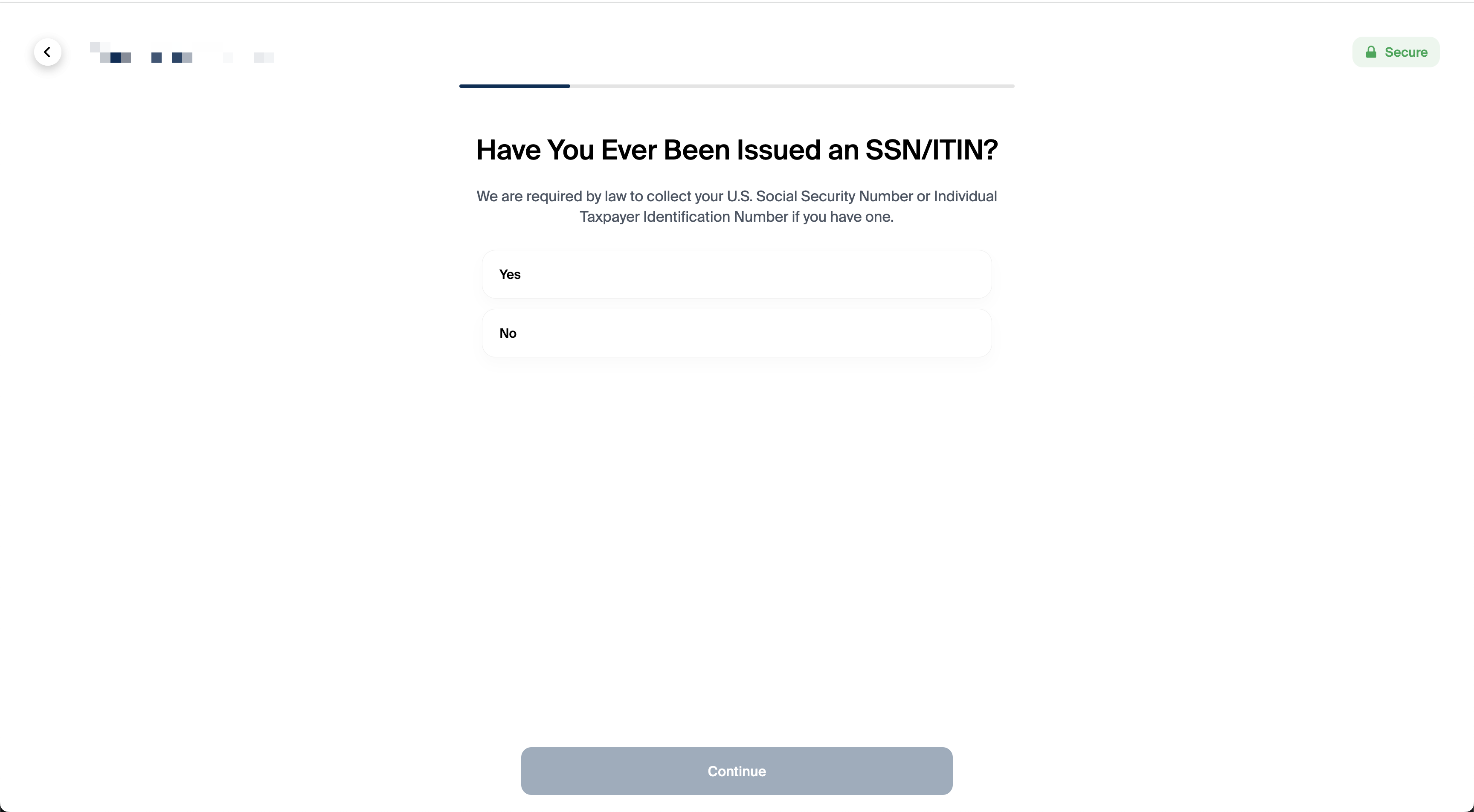
An additional page, "Have You Ever Been Issued an SSN/ITIN?", is inserted immediately after the email input screen and before the Plaid IDV widget.
- If the applicant selects "Yes," they will be prompted to enter their SSN/ITIN/ATIN on the Plaid IDV screen.
- If the applicant selects "No," the Plaid IDV will adjust accordingly and not request this information.
Page URL: /personal/irs
Phone Number (OTP) Controls in the Plaid IDV Flow
Plaid IDV phone verification is configured separately from Glide’s login OTP flow. Confirm the phone-number and country requirements in the Plaid template used by your institution, and test the intended international-applicant journey.
For the Glide digital channel OTP (used outside of the Plaid IDV widget, such as during applicant login), this is a separate system from the Plaid IDV flow and does not share the same phone entry controls.
Handling Non-U.S. Persons
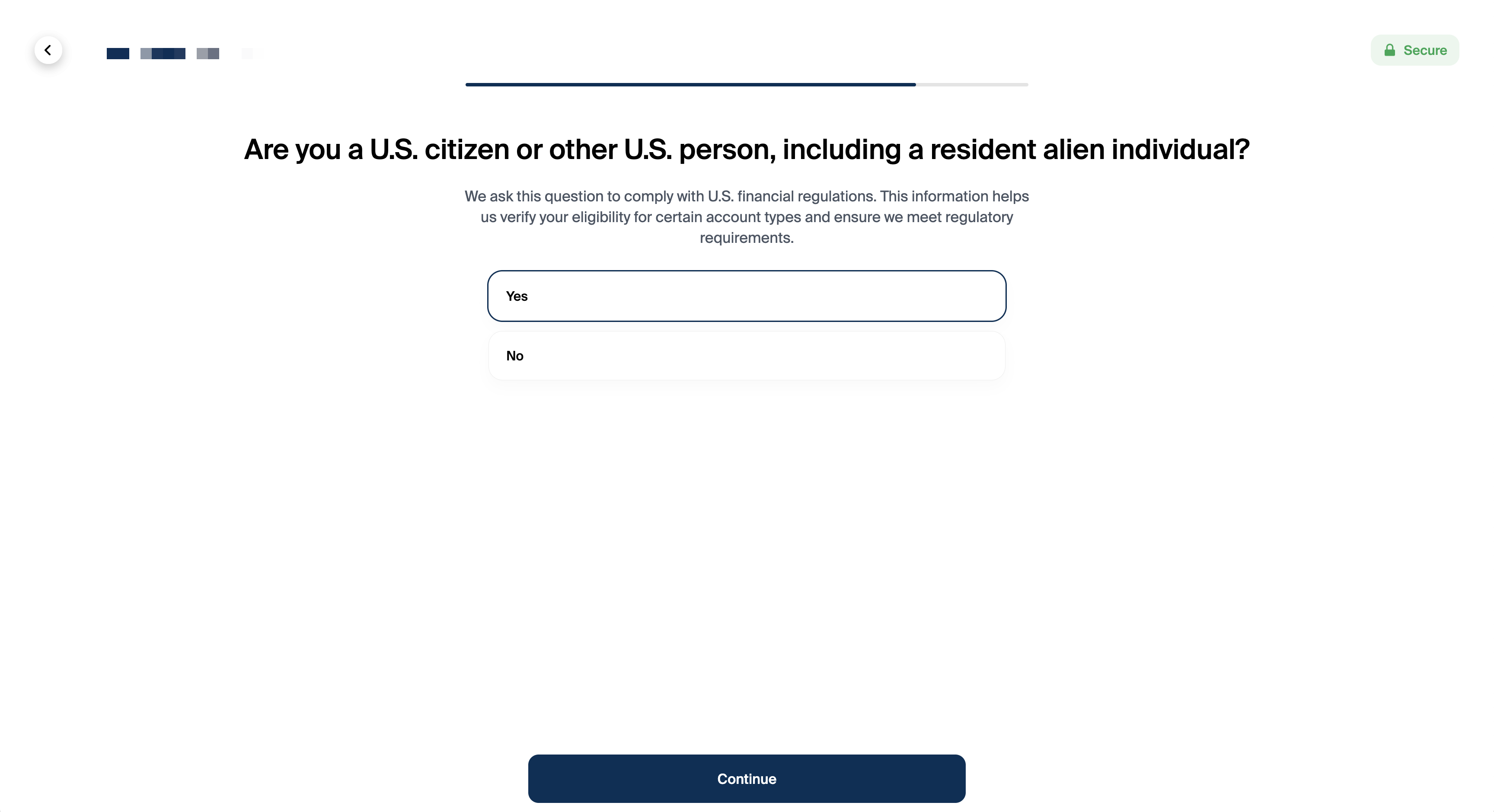
FIs can enable an optional question to determine the applicant’s U.S. person status. This question appears immediately before the disclosures page.
Page title: “Are you a U.S. citizen or other U.S. person, including a resident alien individual?”
If the applicant selects "Yes," no additional questions will be asked.
If the applicant selects “No,” they will be prompted to provide:
• Country of Citizenship (URL: /international/country)
• Foreign Tax Identifying Number (URL: /international/foreign)
• Permanent Address in Home Country (URL: /international/foreign/address)
Glide automatically generates the W-8BEN form at application submission for eligible international applicants when W-8BEN generation is enabled for the financial institution, including when the application is pending review. The form uses the information provided by the applicant. After membership approval, it is sent to the financial institution's document storage through the configured document-transfer process.
Page URL: /international
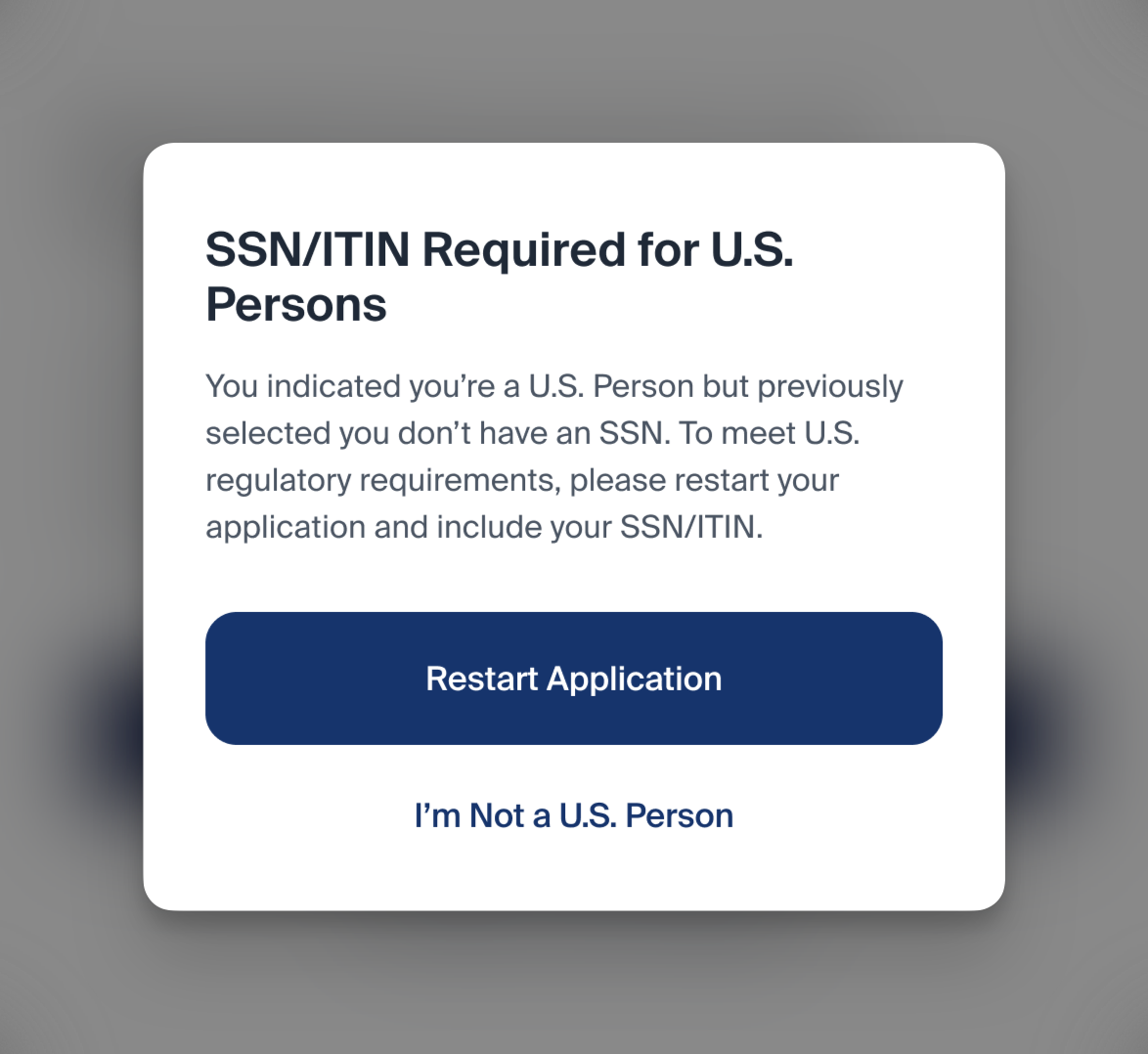
If the applicant previously indicated they do not have an SSN (e.g., selected “No” on “Have You Ever Been Issued an SSN/ITIN?”), but later indicates they are a U.S. Citizen, U.S. Person, or Resident Alien, a pop-up message will instruct the applicant to restart the application and enter their SSN/ITIN/ATIN as required.
Why the Pop-Up Message?
Any individual who is a U.S. citizen, U.S. person, or resident alien is legally required to have an SSN/ITIN/ATIN. Once an applicant proceeds with the non-U.S. person flow, the system omits the SSN/ITIN-based steps. If they later change their status to “U.S. person,” Glide needs them to restart so that the correct identity verification process (requiring SSN/ITIN) can be completed accurately and in compliance with regulations.