Disclosures Page Configurations
Last updated: September 23, 2026
Overview
The Disclosures page appears near the end of the account application and is where applicants review and accept the required agreements before submitting. All disclosures on this page must be accepted in order for the applicant to proceed — this is by design.
Note: If you are looking to surface optional services or elections (e.g., overdraft opt-in, e-statements), those should be configured on the Preferences Page, not here. See: Preferences Page
Disclosure Page Options
There are two ways to present disclosures to applicants.
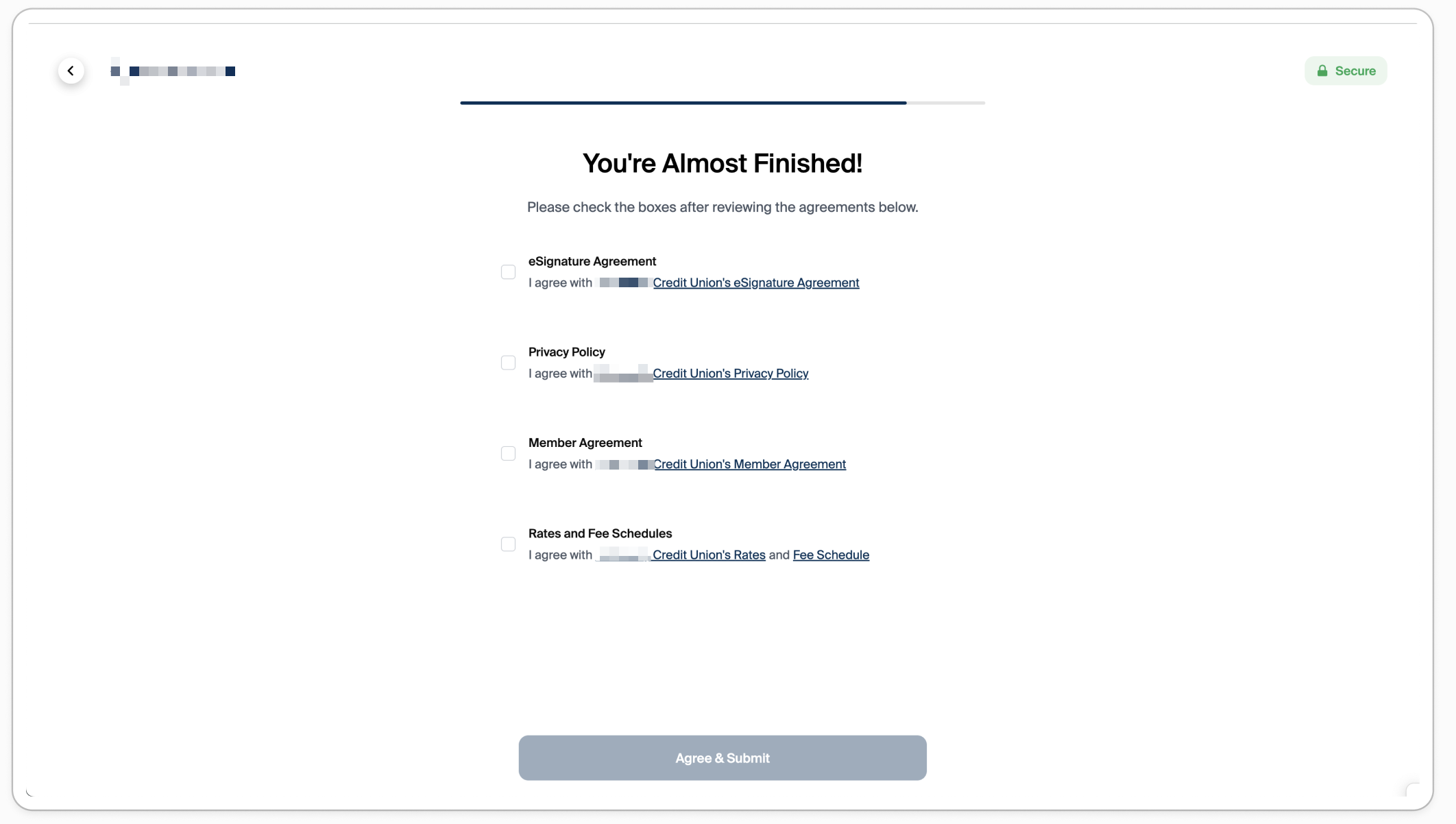
1. Checkboxes (Recommended)
The applicant sees a list of disclosures, each with a checkbox and a linked document title. They check each box to confirm acceptance and then click Agree & Submit to continue.
This is the most common configuration among FIs on the Glide platform — and the strongly recommended approach.
Conversion rates are significantly higher compared to the "required to open" mode. The experience is clean, familiar, and low-friction
2. Required to Open (Impacts Conversion)
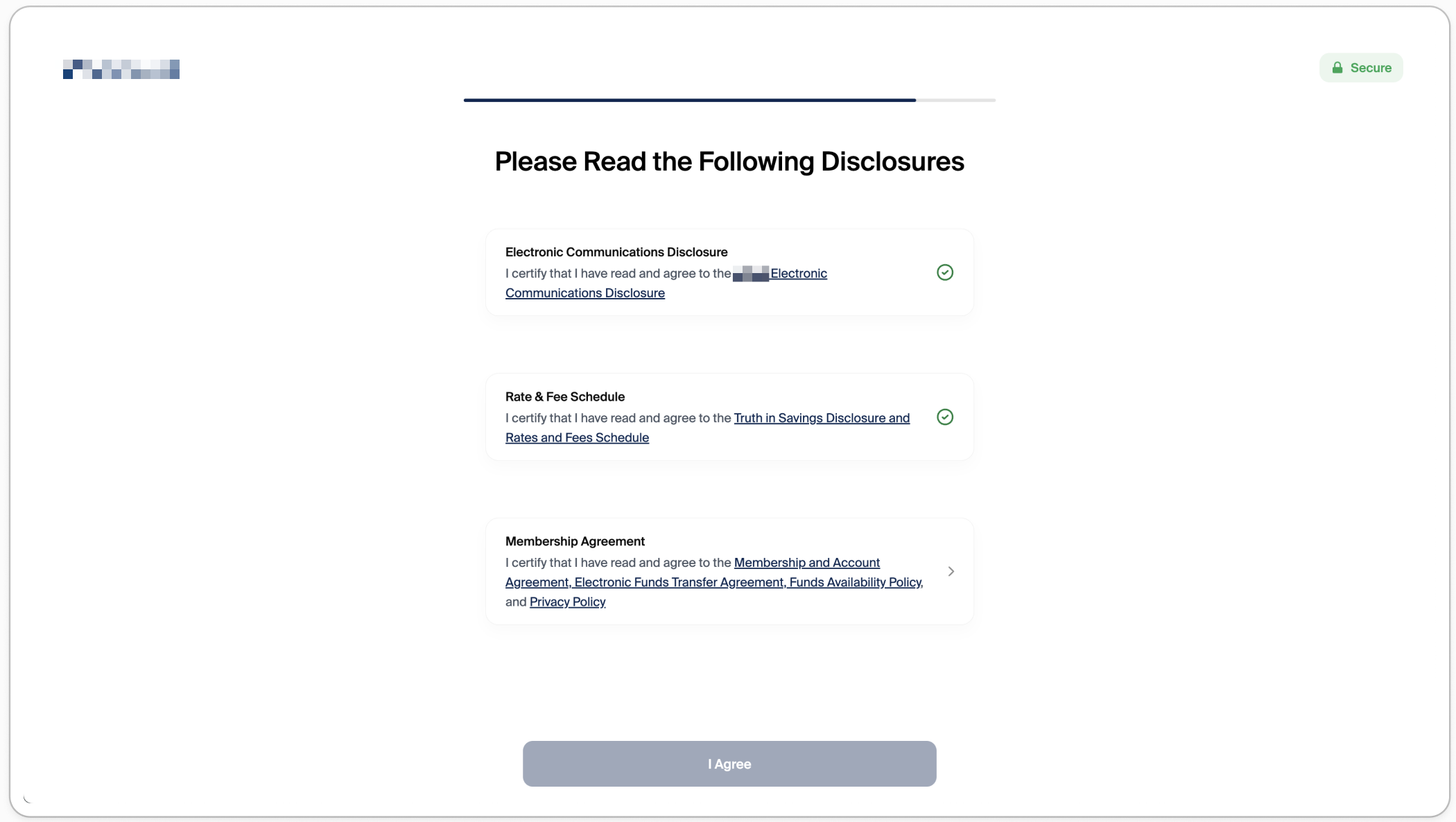
The applicant must tap each disclosure link to open before a checkmark is applied. Only after all disclosures have been opened can they click I Agree and continue.
Glide does not recommend this configuration. Requiring applicants to open each disclosure before continuing introduces significant friction and is a high impact source of drop-off in the application flow. The vast majority of FIs on the Glide platform leverage checkboxes for the disclosure method.
If your concern is that applicants need access to disclosure documents after submission, those links can be included in the confirmation email sent upon application submission — this is a supported configuration and achieves the same compliance goal without impacting conversion.
Conditional Display Limitations
Disclosures on this page support a limited set of display conditions. A disclosure can be scoped to show only for certain applicant or account types — for example, Personal applicants, Business applicants, Minors, Trusts, Sole Proprietors, or only within the new-account application flow vs. the account holder portal.
Funding method is not a supported display condition. It is not currently possible to configure a disclosure so that it appears only when an applicant selects ACH (bank funding) — or any other specific funding method — as their funding option.
Glide does not support conditional agreements on the disclosures page based on product selection (i.e., a disclosure cannot be shown or hidden based on the applicant's product selection). Glide does not support adding extra disclosures dynamically based on product selection. Conditional disclosures can be added on the Preferences page.
Acceptance Tracking & Record keeping
When an applicant completes the disclosures page, Glide logs the acceptance event in the activity trail. The following data is captured at the time of acceptance:
IP address
Device
Browser
Operating system
Timestamp
This provides a tamper-resistant record of consent that is comparable to e-signature solutions like DocuSign.