Core Warning/Stop/Alert Codes
Last updated: December 5, 2025
Glide supports reading and writing codes to and from the core system. These codes differ in naming depending on the core:
Symitar: Warning Codes
Keystone: Notes / Alerts
XP2: Stop Codes
When an application is submitted, Glide will read any applicable codes tied to the SSN of the primary applicant and the joint applicant (if present). Decision logic can be configured to route applications to Pending or Auto-Deny based on the codes returned. Glide will also write applicable codes back to the core when applications are approved.
Read Configuration Options
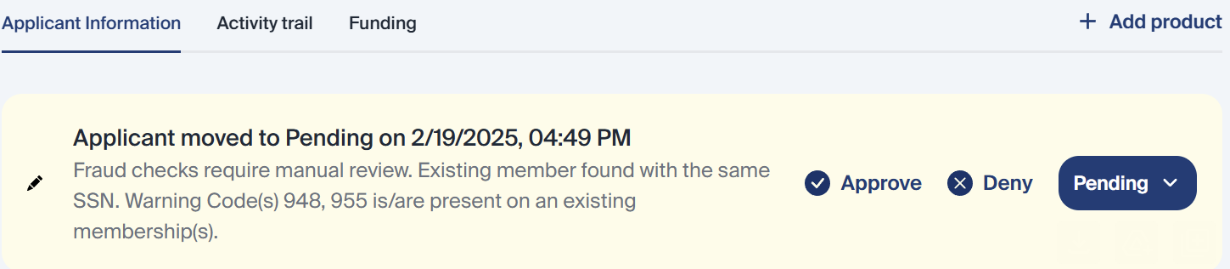
The following are configuration options for how to display warning codes that Glide reads in the activity trail.
Default text
Warning Code(s) 1,2,3,4 is/are present on existing membership(s)

Manual text, as defined by the FI
[Warning code #]: [Manual text defined by the FI]
Example - 3109: Required Information Needed notes are present on an existing membership.
Combination of manual text for some warning codes and just showing the warning code number for other warning codes
Example - Warning Code(s) 1,2,3,4 is/are present on existing membership(s). Required Information Needed notes are present on an existing membership.