Foundation Funding Support
Last updated: September 23, 2026
Overview
When an applicant joins through an eligibility type (e.g., "Join through an association or foundation") that requires collection of a fee, Glide can automatically collect and route the required foundation donation fee, without staff intervention.
The foundation fee is collected at account opening and routed directly to your FI's designated foundation account. The fee never passes through the account holder's primary share account.
How It Works
When an applicant selects a foundation eligibility type during account opening, the required donation amount appears on the "Enter Your Funding Amounts" screen. Applicants see the fee clearly labeled before they continue.
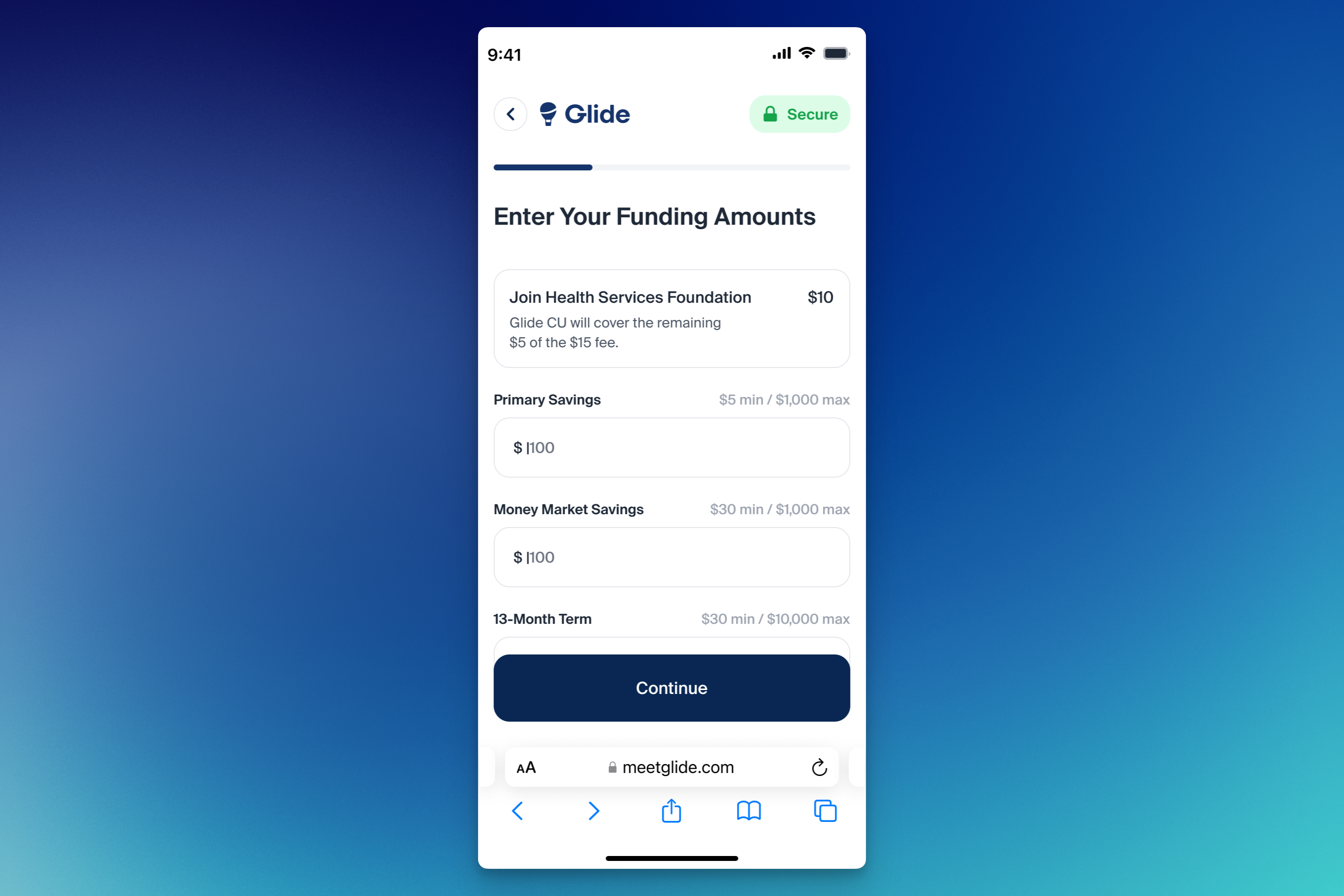
Glide routes the foundation fee separately from the applicant's other funding:
ACH-funded accounts — The NACHA file includes a separate credit that moves the foundation fee amount from the clearing GL directly into the configured foundation account. The credit to the applicant's share is reduced by the fee amount accordingly.
Card-funded accounts — The foundation fee posts from the pre-defined funding GL directly to the foundation GL. Only the remaining (non-fee) portion posts to the applicant's share.
In both cases, the transfer is logged and visible in the Fundings section and the activity trail on your dashboard.
Chargebacks and refunds: If the funding transaction is later charged back or refunded, Glide does not automatically pull back or reverse the foundation fee from your FI's designated foundation account. Your FI must manually reconcile the transaction and make any necessary fee reversal in the core.
Configuring a Foundation Fee
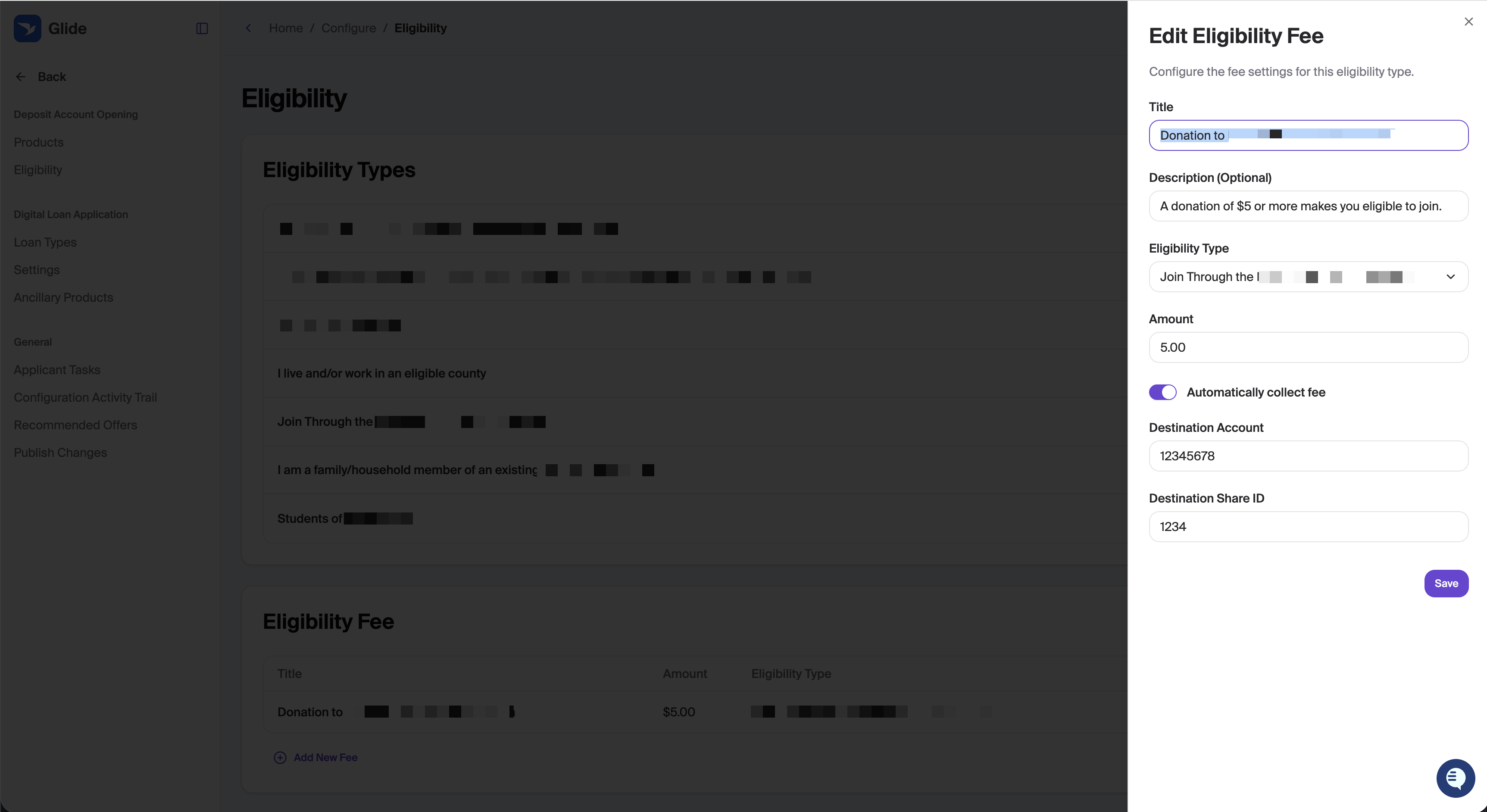
Foundation fees are configured per eligibility type under Configure → Deposit Account Opening → Eligibility.
Steps
Go to Configure → Deposit Account Opening → Eligibility.
Scroll to the Eligibility Fee section.
Click Add New Fee.
Fill in the following fields:
Field | Description |
|---|---|
Title | Display name shown to the applicant (e.g., "Donation to [Foundation Name]") |
Description (optional) | Short explanation shown to the applicant (e.g., "A donation of $5 or more makes you eligible to join.") |
Eligibility Type | The eligibility type this fee applies to |
Amount | The required donation amount |
Automatically Collect Fee | Toggle on to collect the fee automatically at account opening. If Automatically Collect Fee is off, the fee is not collected at account opening and must be handled manually by staff. However, it will still be charged to the applicant and the fee will land in their primary share. |
Destination Account | The GL account number for the foundation |
Destination Share ID | The share ID within that account |
Click Save.
Once saved, the fee will appear in the Eligibility Fee table and be enforced whenever an applicant selects that eligibility type.