Additional Question Page Configuration
Last updated: September 23, 2026
Overview
The Additional Questions page allows financial institutions to collect custom information from applicants that is not included in the standard Glide application flow. These questions appear on a dedicated page after the eligibility screen and, if configured to present for in branch applications, in a dedicated section for in branch applications.
Why Glide Recommends Minimizing Additional Questions
Each extra field or page increases the cognitive load required for applicants to complete an application.
Across Glide implementations we have observed measurable impacts on completion rates when additional questions are added.
Observed trends:
Financial institutions that added several additional questions saw completion rates between 37% and 56%
An institution that removed the additional questions page entirely saw a 65% review page hit rate
These results demonstrate that fewer questions generally lead to higher application completion rates.
Whenever possible, Glide recommends collecting only information that is strictly required to process the application.
Configuration Options
Title and Subtext
The Title and Subtext define the header content displayed at the top of the Additional Questions screen. These help explain to the applicant why more information is being requested.
Title requirements
Maximum 36 characters
Recommended length: 3 to 6 words
Subtext requirements
Maximum 100 characters
Recommended length: ~85 characters
Optional
Example
Title: Just a Few More Questions
Subtext: Please answer a few additional questions required to complete your application.
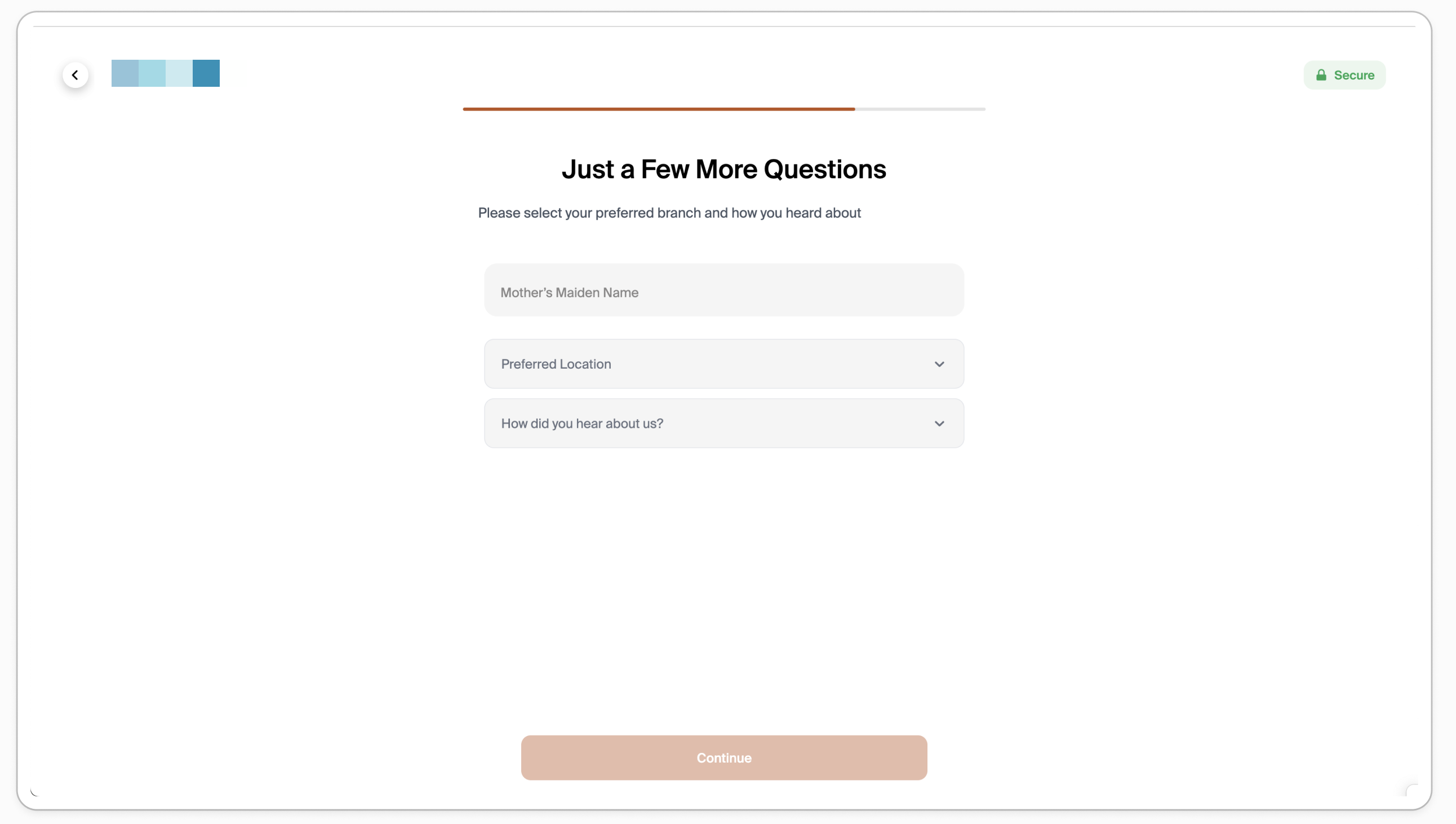
Supported Field Types
Glide supports several field types for additional questions:
Short text fields
Dropdown selections
Checkbox field
Visibility Rules
Additional questions can be configured to appear based on application channel, role, or membership type
Channels:
digital channel
Shown to applicants filling out the application on their device
Dashboard Channel
Shown only when staff are submitting in branch applications