Debit Card Ordering
Last updated: September 23, 2026
Overview
Glide supports debit card ordering as part of the account holder experience. Financial institutions can choose where in the journey account holders are prompted to order their debit card — by default, this happens on the onboarding page after account opening, but it can optionally be configured to appear during the account opening flow on the Preferences Page.
Default Behavior: Onboarding Page
By default, debit card ordering is presented on the onboarding page, which account holders see after their account has been opened. This is the recommended approach for most financial institutions.
Asking applicants to order a debit card during the account opening flow adds a decision point mid-journey, before the applicant has fully committed to opening their account. Keeping debit card ordering on the onboarding page reduces friction during account opening, which helps improve application completion rates. It also gives applicants a clearer moment to make that decision — after the account is theirs, not during the process of applying for it.
Optional: Debit Card Ordering in the Account Opening Flow
For financial institutions that want to offer debit card ordering during account opening, this can be configured as a checkbox on the Preferences Page (/preferences). When enabled, the checkbox appears at the bottom of the question list with default copy: "Order a debit card."
The Preferences Page appears just before the disclosures page. See Preferences Page for information on configuring when the Preferences Page appears in the flow.
Conditional visibility is supported — the debit card checkbox can be configured to appear only when checking accounts are present in the application, or scoped to specific checking account types. This is configured per financial institution by your Integration Team.
Debit Card Design Selection
For financial institutions that offer debit card design selection, the design selection step appears on the page immediately following the Preferences Page. Account holders who opt in to ordering a debit card will be prompted to choose their design before proceeding.
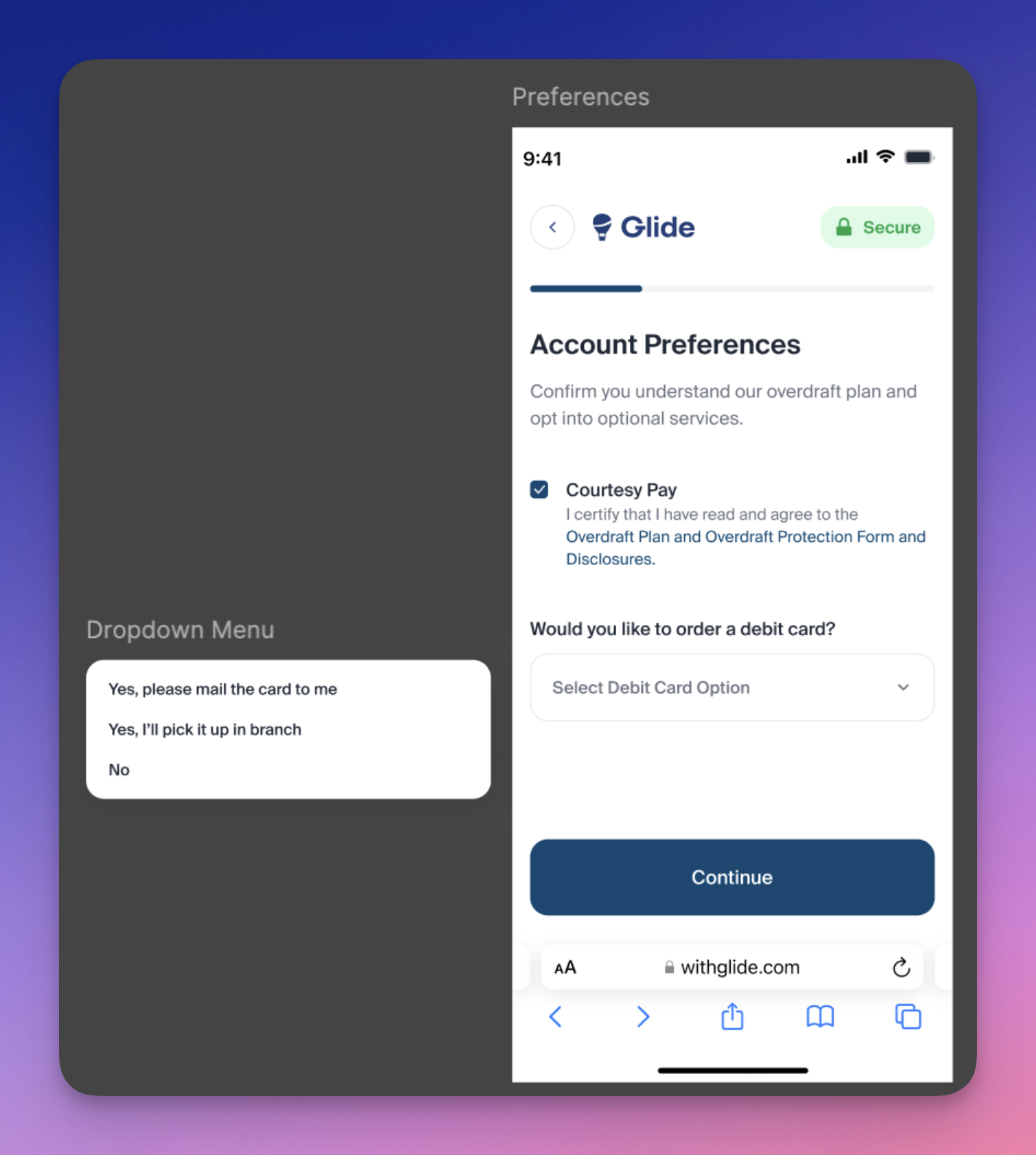
Select Debt Card Option Dropdown Values
By default, two options appear in the dropdown:
Yes, please mail the card to me
No
"Yes, I'll pick it up in branch" — is available as a sub-configuration for financial institutions that support in-branch card pickup. This option is not enabled by default and must be requested. When an applicant selects this option, Glide will not build any records in the core.
Onboarding Checklist Integration
If an account holder selects mail delivery and an onboarding checklist item for debit card ordering exists, that checklist item will automatically be marked complete.