Referral Engine
Last updated: September 23, 2026
Overview
Glide’s native referral engine enables financial institutions to run a seamless and high-performing referral program directly through the Glide platform.
Account holders receive unique referral links, such as join.cu.org/r=john, which they can share with others. When a friend uses the link to apply, both the referrer and/or referee can receive automated rewards (e.g., $25). These credits can be distributed automatically by Glide.
How It Works
1. Activate the Referral Program
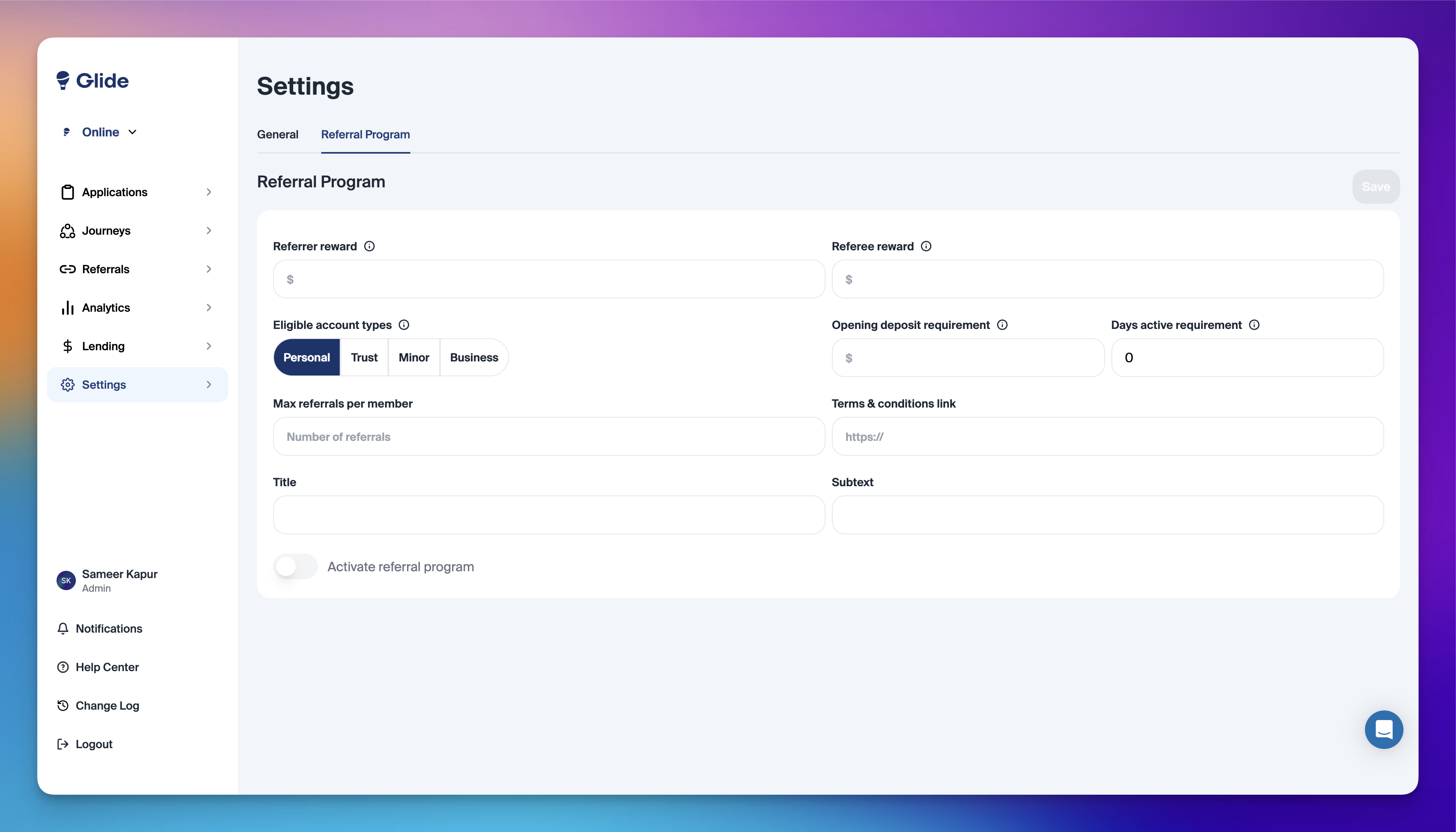
Enable the referral program via the Settings page on the Glide dashboard.
2. Configure Reward Criteria
Glide supports the following reward criteria:
Referrer reward
Referee reward
Eligible membership types
Opening deposit requirement
Days active requirement
Maximum referrals per account holder
Note: At this time, Glide does not support criteria based on direct deposit or specific product openings.
3. Referral Links and Codes
Once activated:
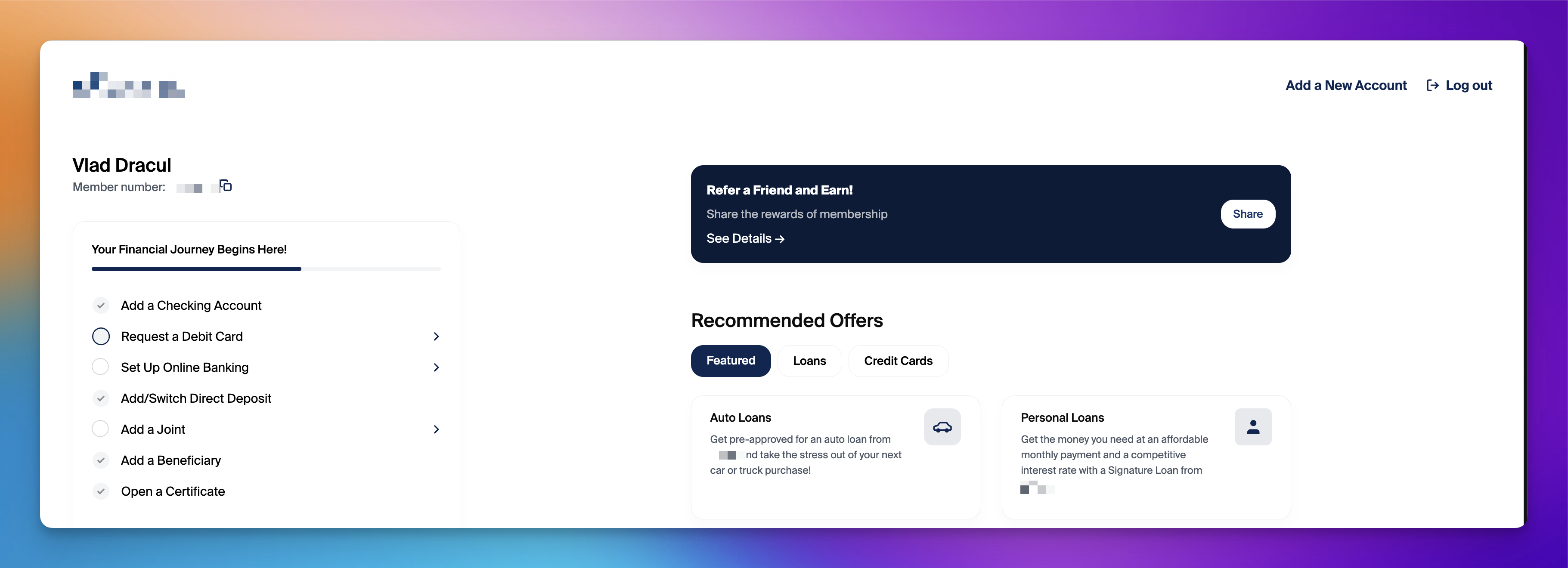
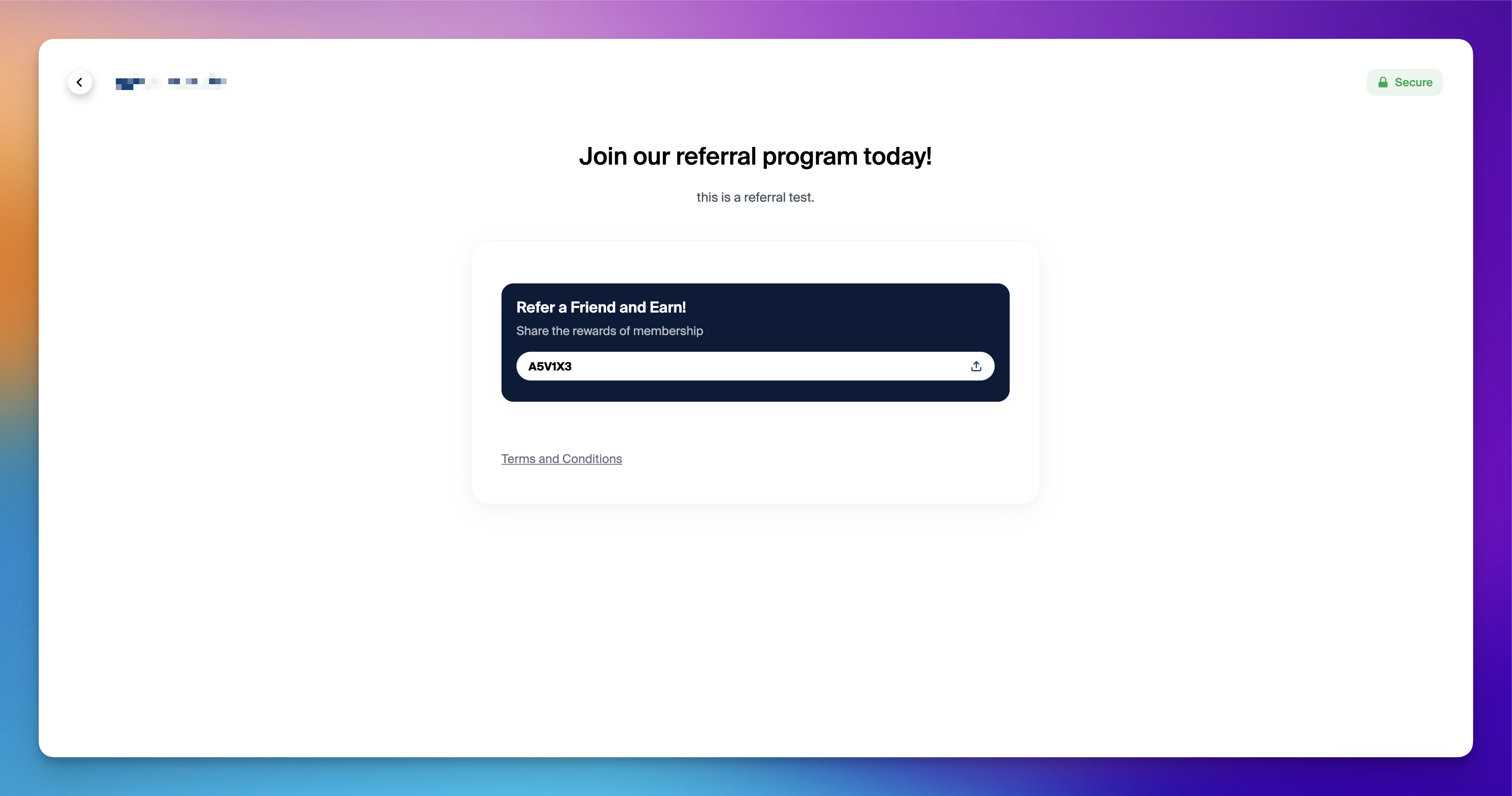
Account holders will see their unique referral link and referral code displayed on the onboarding page.
Account holders can leverage Glide's integration with native share menus across Android, iOS, and browsers.
Both new and existing account holders logging in will have access to their referral link/code.
Referral codes are only visible to approved account holders.
Referred account holders can:
Use the referral link to start their application.
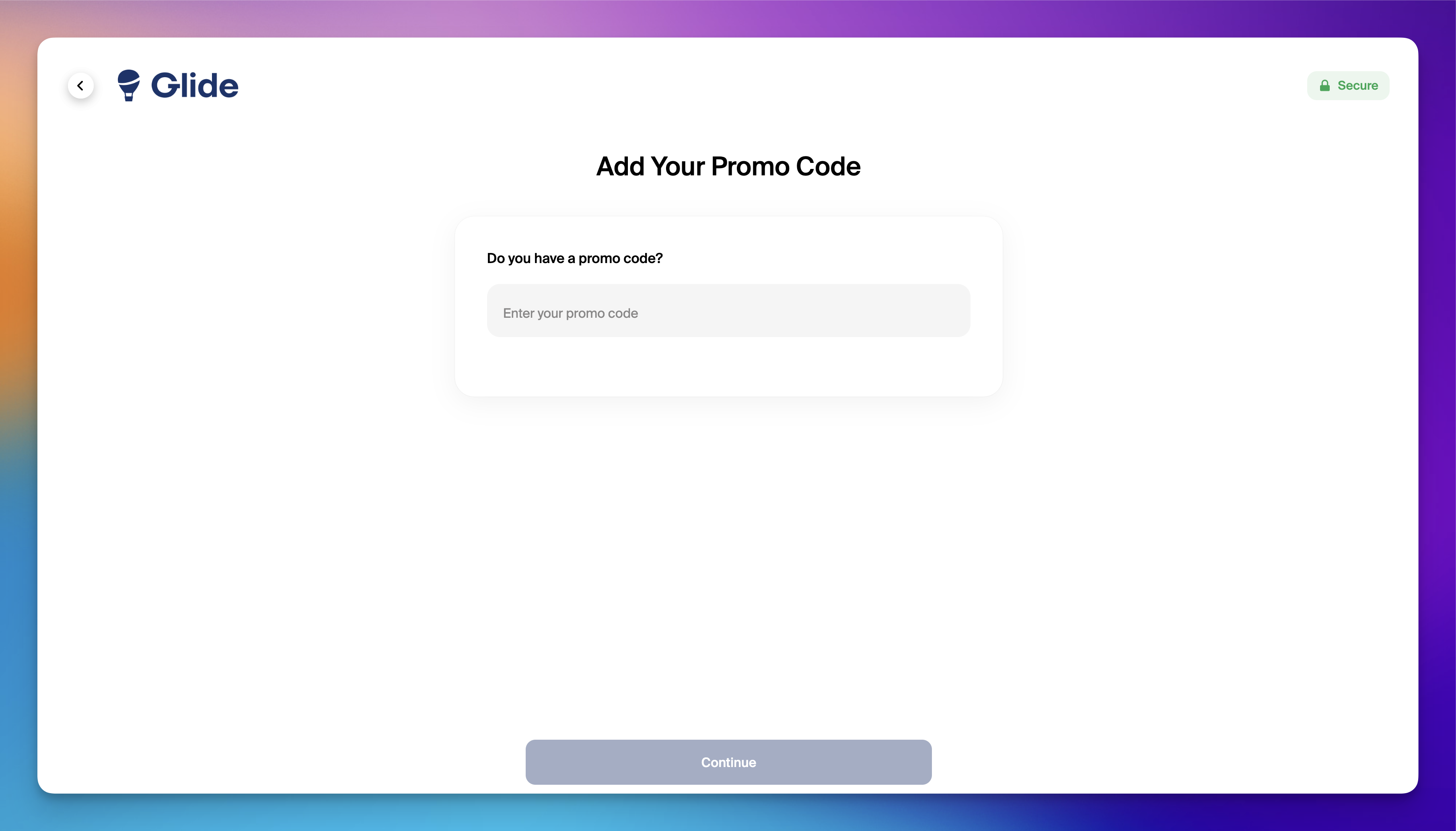
Enter the referral code in Glide’s “Promo Code” box during the onboarding process or within the dashboard.
4. Awarding Credits
Glide runs an automatic job each day at 5 PM UTC (12 PM EDT) to check if new account holders have met the referral criteria set up on the dashboard. Glide awards the credit to new account holders eligible for referee or referrer bonuses, if applicable.
5. Referrer Tracking
Referring account holders can view their list of successful referrals directly on the onboarding page.
6. Referral Reporting
For auditing purposes, Glide generates a comprehensive “Referral Report” available on the dashboard. This report includes:
Referrer name and membership number
Referee name and membership number
Referee application approval date
Additional Notes
To direct account holders to the referral program page from marketing materials or emails, leverage the Onboarding Page Deep Links feature.
The “Promo Code” box in Glide is validated to accept only referral codes and journey codes, ensuring accuracy and security.
Glide’s referral program offers a streamlined solution to drive account holder growth while rewarding engagement, making it a valuable tool for financial institutions.
Importing Historical Referral Codes
Glide does not support bulk importing historical referral codes for existing account holders. Referral codes are only assigned during the new account holder onboarding flow — there is no mechanism to retroactively assign codes from a third-party vendor or prior system to pre-existing account holder records.
If a financial institution is migrating from a third-party referral program and wants existing account holders to access referral codes, those account holders can log in to the Glide landing page and complete authentication to access their account — referral codes will be generated as part of their Glide membership, not imported from the prior system.