Q2 Enrollment Setup
Last updated: September 23, 2026
This guide is relevant if your FI uses Q2 for digital banking and you'd like to integrate Glide with Q2 Enrollment for quicker online banking sign up.
Q2 Enrollment allows account holders to create their online banking username and password directly in Glide for a streamlined account holder journey. This reduces the friction to set up an online banking login and allows for a better experience.
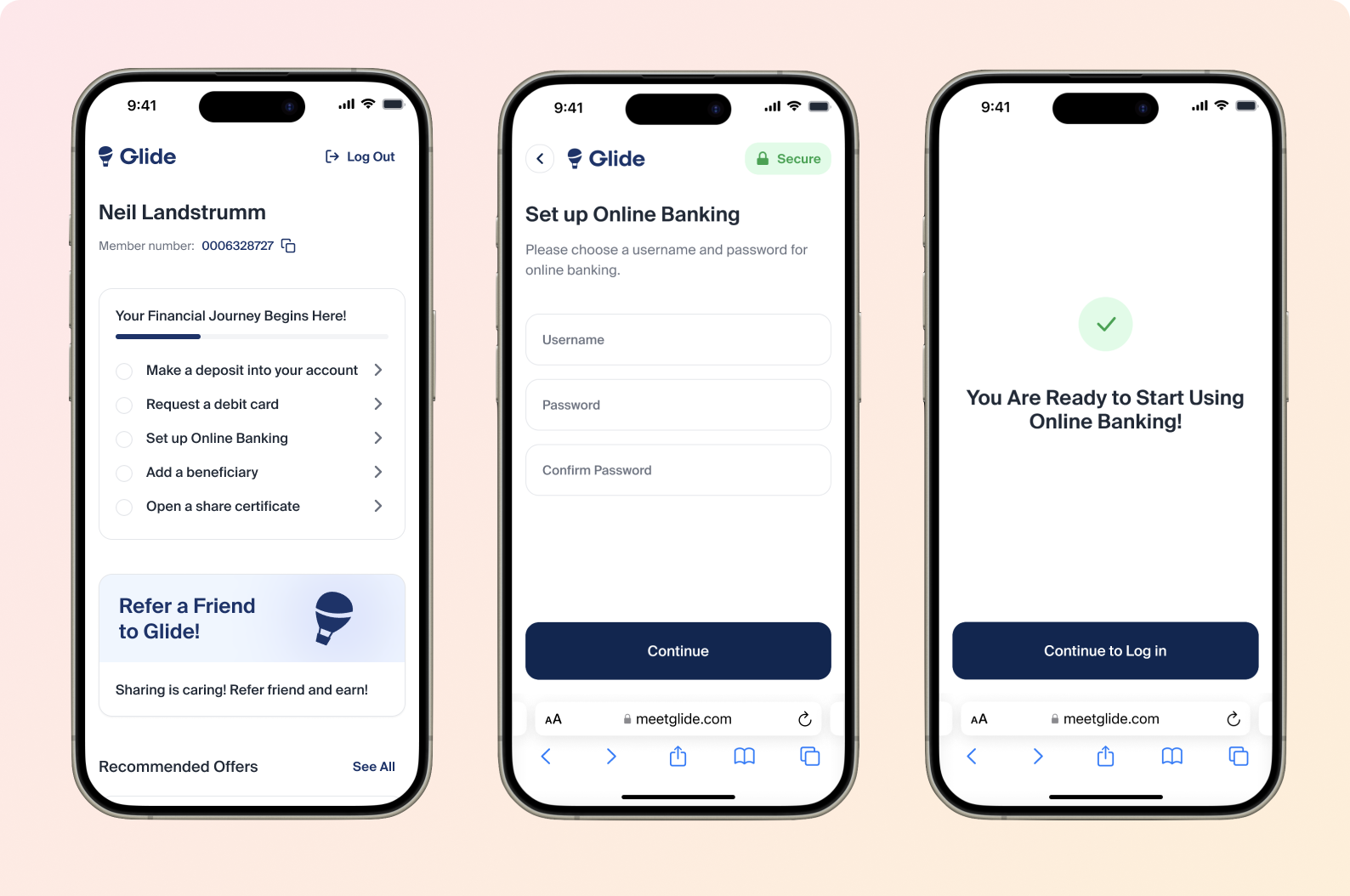
As shown above, the "Set Up Online Banking" page appears after Q2 Enrollment integration has been established. Account holders can get to this page by clicking on "Set up Online Banking" from the onboarding checklist.
Once you have committed to integrating Glide with Q2 Enrollment, please provide the following information to your point of contact at Glide.
Q2 Enrollment info required:
Regex for username
Regex for password
Q2 Caliper API details (Staging & Prod)
Q2 Client ID
Q2 Client Secret
Q2 Scope
Q2 Online Banking URL
Once your FI has sent this information to Glide, Glide will configure the staging environment to add the new "Set up Online Banking" page in the digital channel.
After the integration has been released in staging, we will work with your FI to conduct testing to ensure online banking accounts are being created as expected. It will then be rolled out to production if tests pass.
Q2 Caliper API Reference:
https://docs.q2api.com/docs/q2-caliper-api/3bwrohcnk5dgj-enrollment-guide