Alkami Quick Apply Integration
Last updated: October 22, 2026
Last updated: October 22, 2026
Overview
Glide supports seamless integration with Alkami Quick Apply, enabling account holders to open additional shares directly from Alkami’s online banking without needing to re-authenticate via Glide.
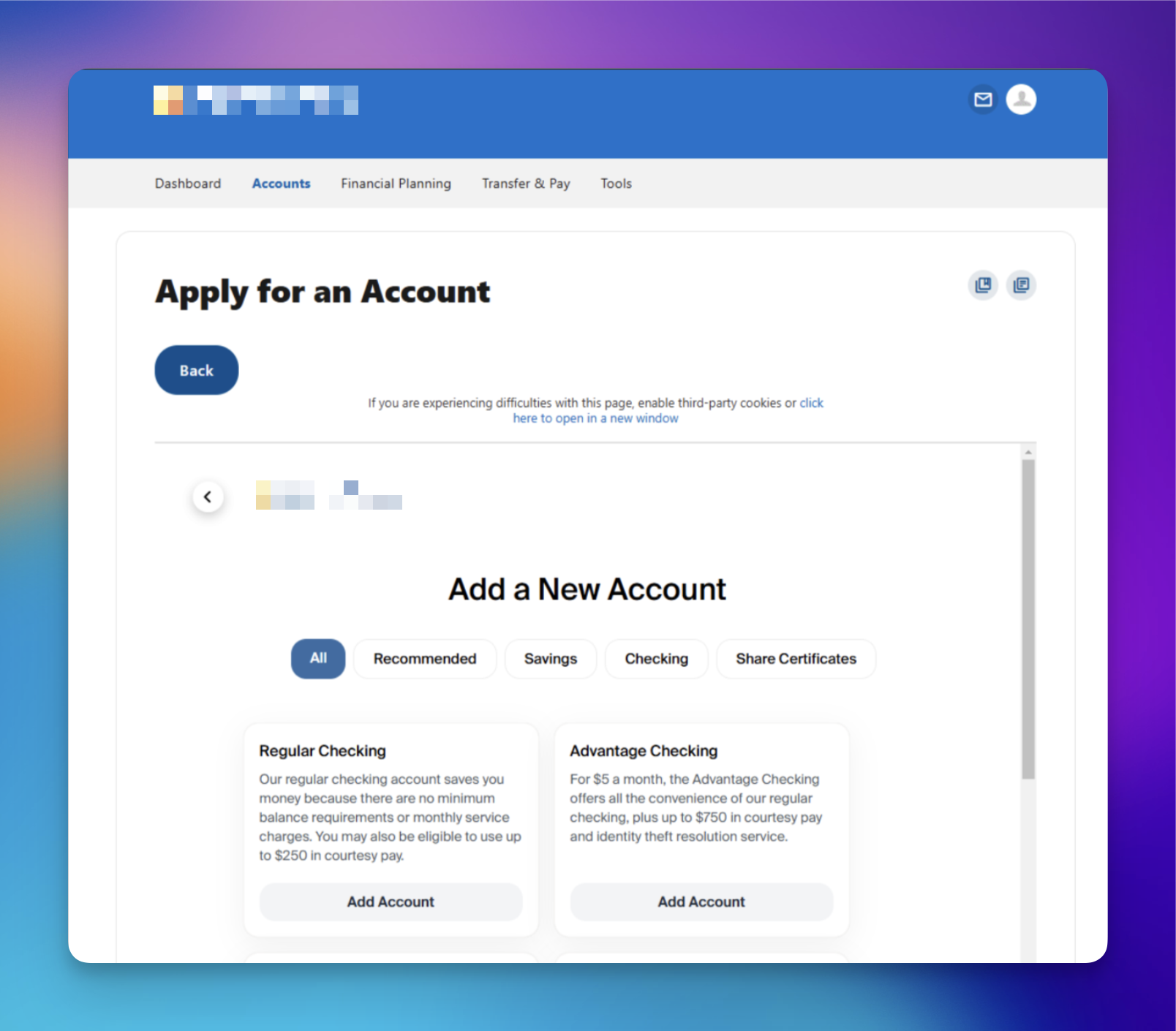
How It Works
To enable the integration, follow these steps:
Provide your Glide DPM with your Alkami Bank Identifier.
Financial institutions (FIs) need to provide Glide with their Alkami Bank Identifier.
Example Format:
A1B2C3D4-E5F6-7890-ABCD-EF0123456789
If you are unsure where to locate this number, contact Alkami support for assistance.
(877) 725-5264
Obtain the Necessary File from Glide
Glide’s Digital Program Manager (DPM) will provide you with the
init.Jarvis.sqlfile.This file needs to be included in your SDK submission ticket to Alkami.
Submit an SDK Submission Ticket
Submit a Jira ticket to Alkami with the following details:
Type: SDK Submission
SDK Component Type: StandardSSO
Attach the following to the ticket:
The
init.Jarvis.sqlfile provided by Glide.API URLs for staging and production environments. API URLs Format:
Append
/api/sso/alkamito your regular URLs.Example Staging URL:
https://mycu.meetglide.com/api/sso/alkamiExample Production URL:
https://join.mycu.org/api/sso/alkami
Sample SDK Submission Ticket Content Below is an example of what to include in your submission:
We recently implemented a new digital account opening platform with Glide. We would like to use the API to enable SSO, allowing account holders to transition from Quick Apply to the Glide platform seamlessly to open new shares, add joint accounts, or add beneficiaries. Currently, when redirecting account holders to Glide, they are required to re-enter their account number, SSN, and mobile number. This integration will eliminate the need for re-authentication when redirected from Quick Apply.
Quick Apply Flow:
An account holder logs in to Alkami Online Banking and clicks the Quick Apply widget.
Alkami POSTs the account holder's identity and the widget's
redirect_pathto Glide's SSO endpoint, using thex-alkami-sso-secretheader.Alkami opens the returned
redirect_urlin the account holder's browser. Glide signs them in and routes them to the requested destination, subject to account eligibility and feature settings.
Include the following URLs:
Staging URL:
https://mycu.meetglide.com/api/sso/alkamiProduction URL:
https://join.mycu.org/api/sso/alkamiAttach the
init.Jarvis.sqlfile to the ticket.
Configure and test each widget
Each widget must invoke the Alkami SSO integration. A plain link to /login/phone, an application page, or the API endpoint does not establish an SSO session.
Set each destination in the SSO request body's redirect_path: add_share (new account), new_referrals (Refer a Friend), direct_deposit, add_joint, or add_beneficiary. Use exact values, including underscores. See the SSO specification for all destinations, default behavior, and a complete request example. Your Alkami administrator or support team can confirm how your installed component maps each widget to the request.
Before rollout:
Confirm the test account has the intended Alkami package and that its assignment has not expired.
Test each widget with a fresh Glide session, including the supported desktop and mobile launch modes. Verify automatic sign-in, the correct destination, and completion of the intended action.
Use an account eligible for the destination. Confirm beneficiary self-service is enabled before exposing that widget.
After successful testing, make the widgets available in the default package and any other intended member packages; a tester-only assignment does not make them available to all members.
Additional Notes:
Depending on the integration configuration desired, account holders can be directed to open up a new tab to apply for new shares via Glide or have Glide show as an iFrame within the Alkami experience. If you'd like to set this up as an iFrame, please mention your preference in your SDK submission ticket.